All your organisation’s files in one place
Shared folders, password-protected links and the history of every version. Files are stored in Uzbekistan.
UZS 39,000 per user per month
What’s inside
-
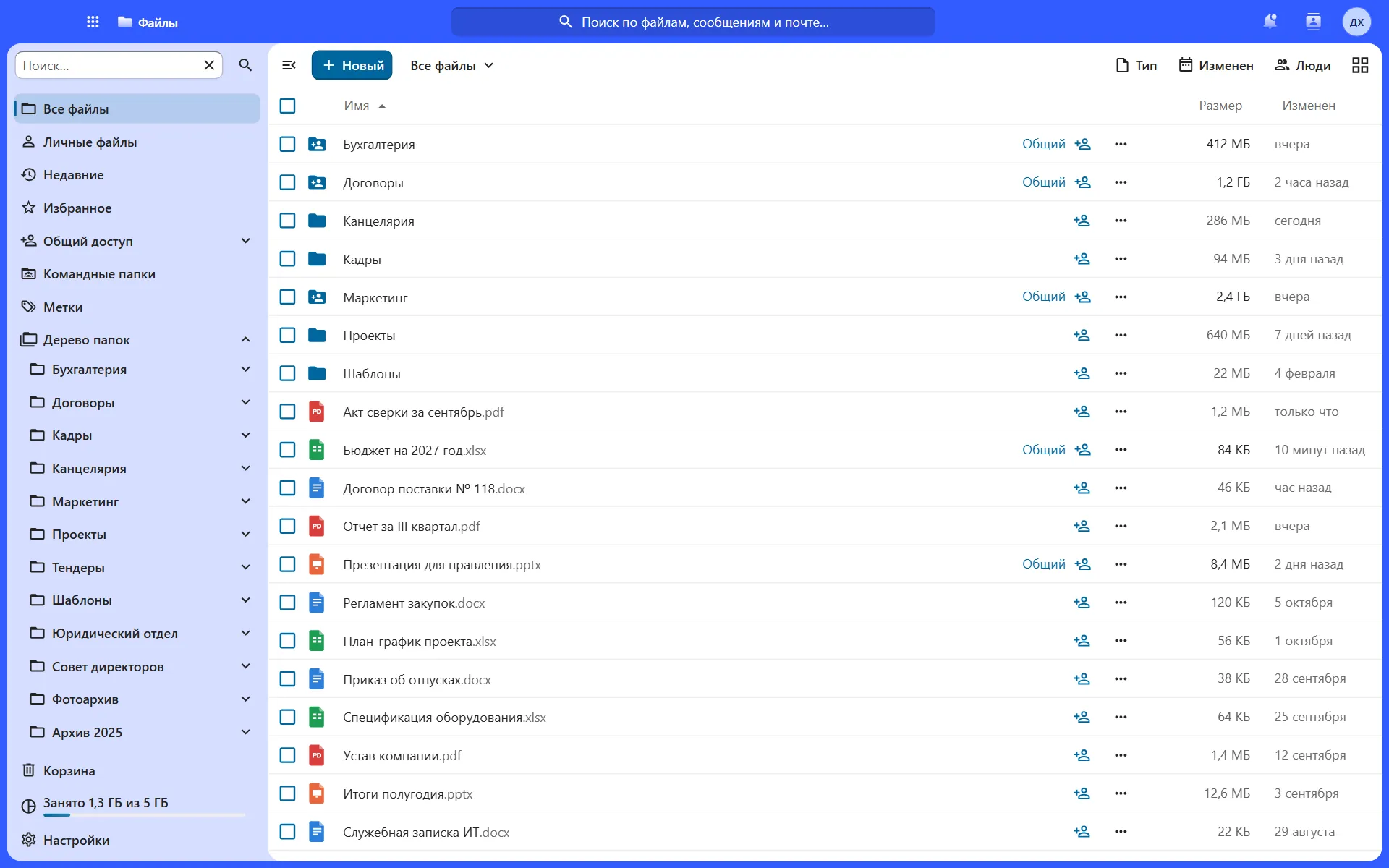
Shared folders
Permissions for a person, department or project
-
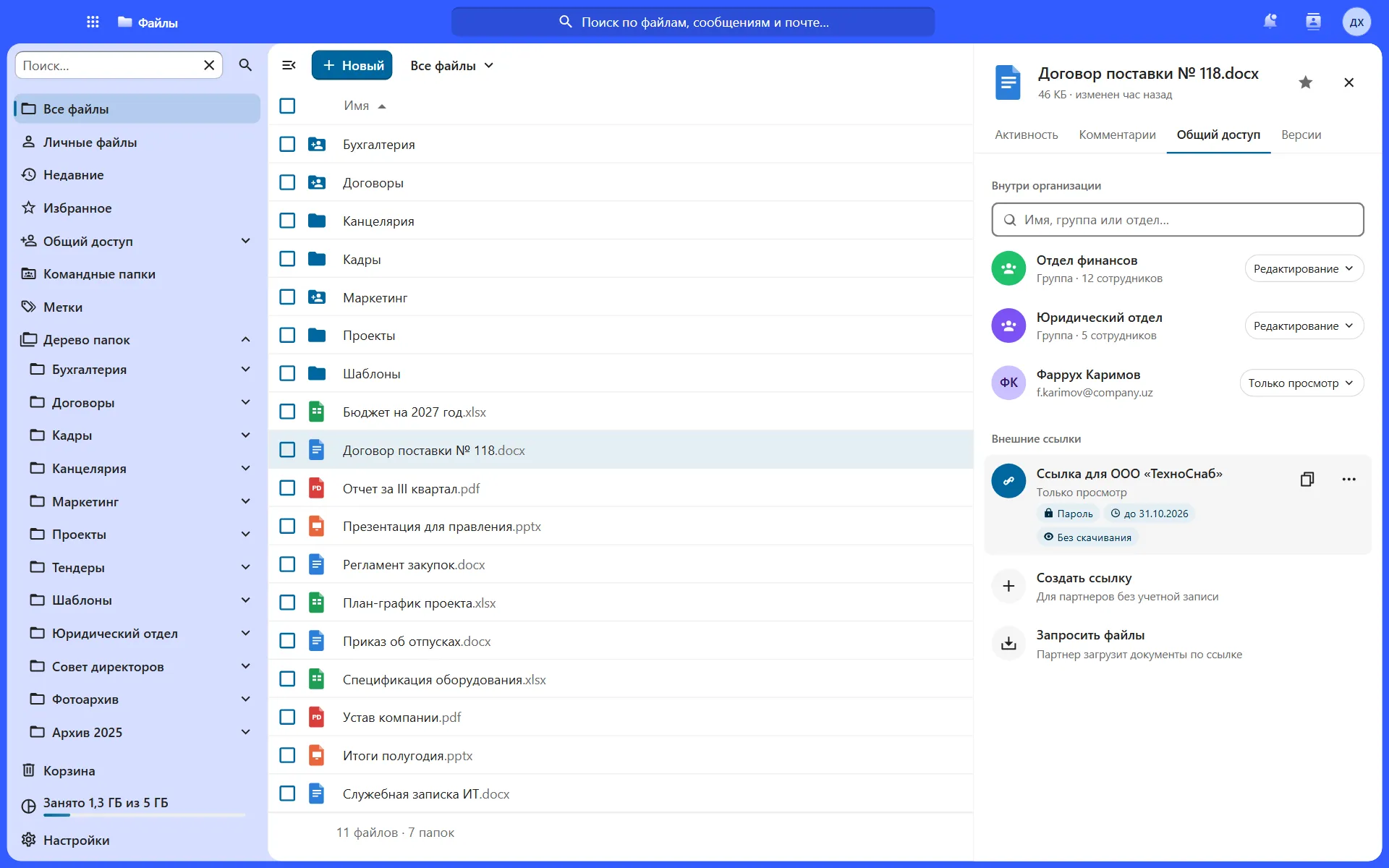
Password-protected links
With an expiry date for partners
-
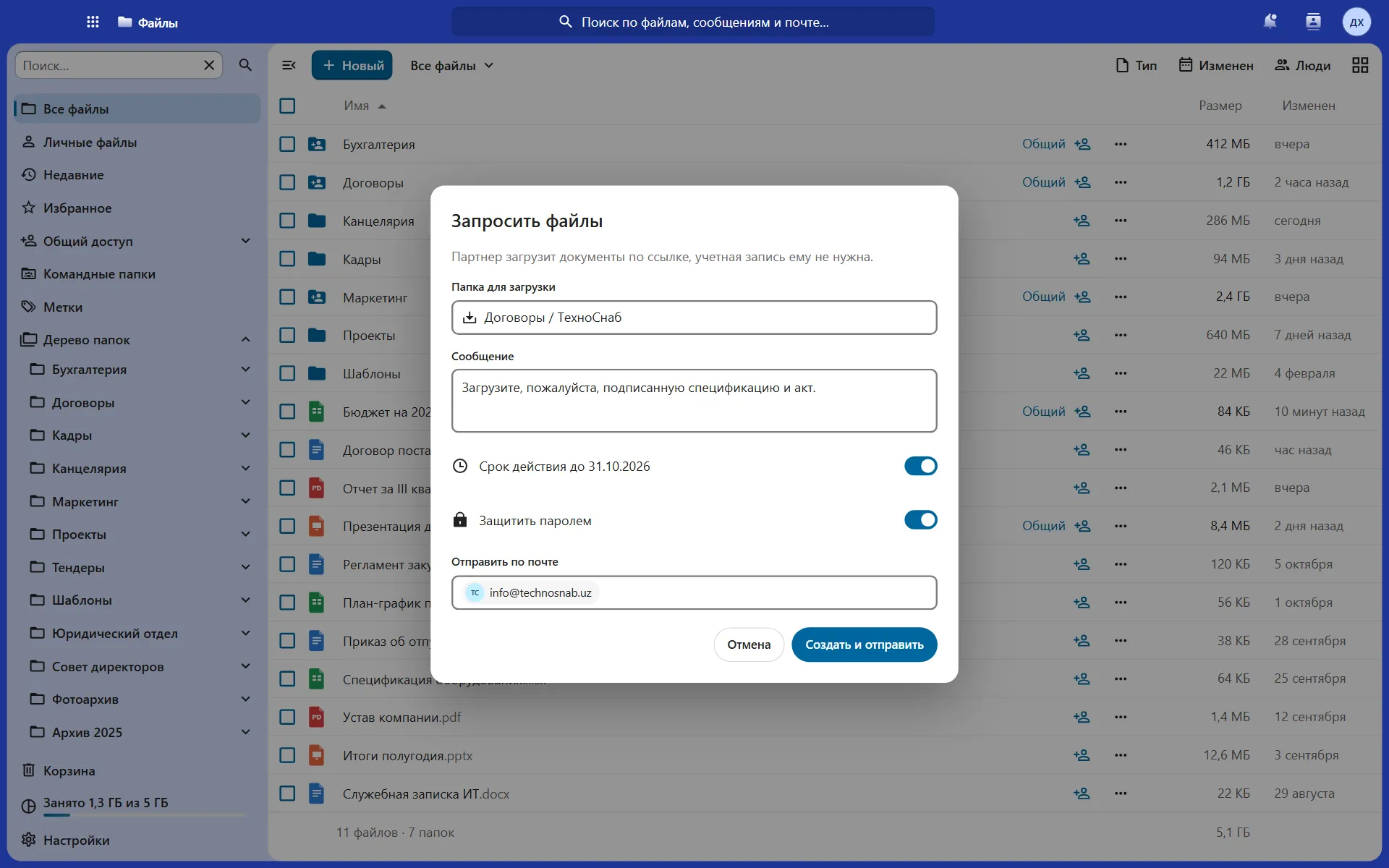
File requests
Partners upload documents via a link
-
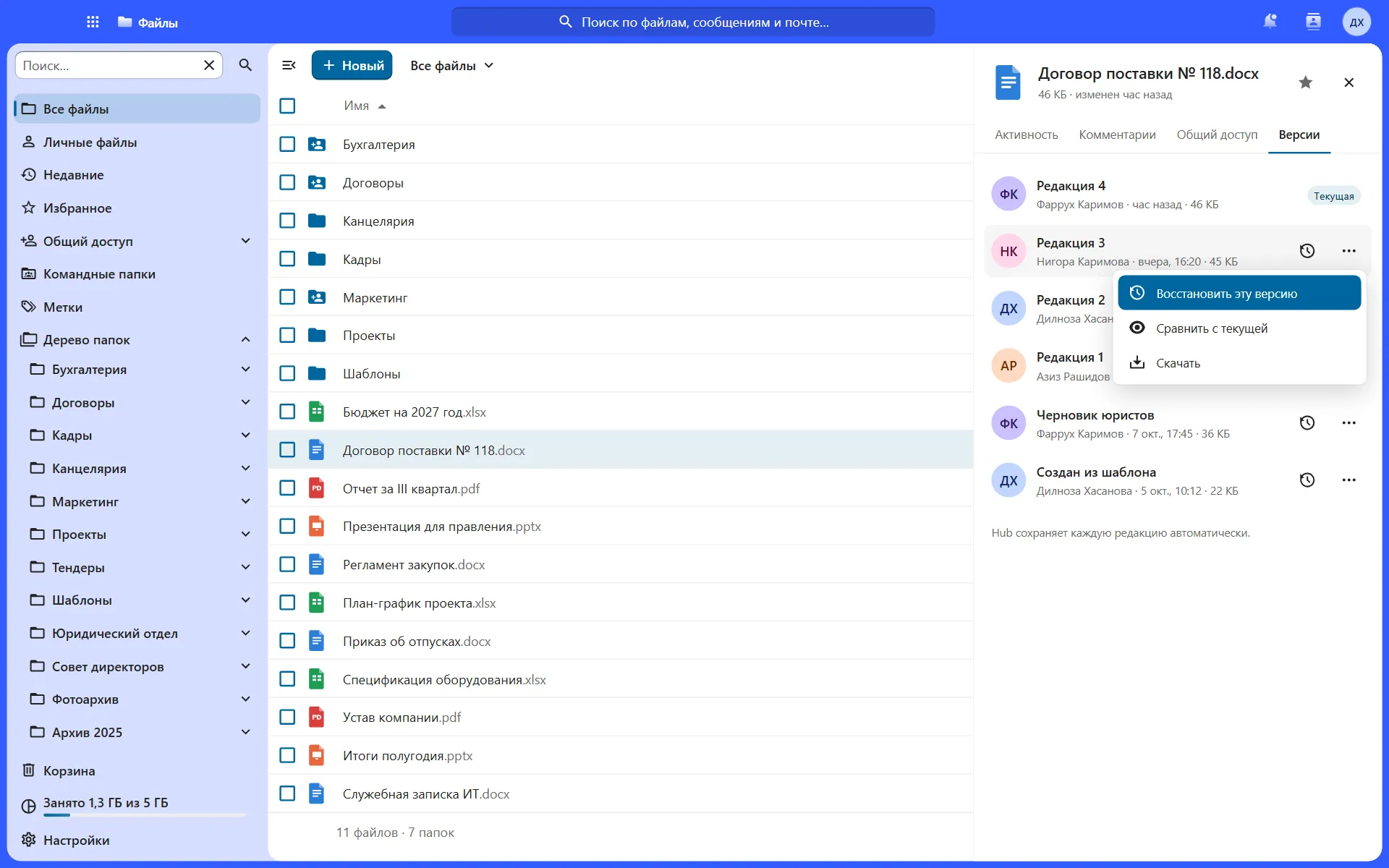
Version history
Restore any revision
-
Sync
Windows, macOS, Linux, iOS and Android
-
Chat about a file
The discussion stays next to the document
Take a closer look at Files
Real screens with sample data.
Who it is for
Legal departments
Contracts with versions and access rights
Accounting
Reports in shared folders, no forwarding
Working with partners
Password-protected links and document requests
Branch networks
Shared folders and sync on computers
Share a file and decide what can be done with it
Set a password, an expiry date and permissions for each link.
Supply contract No. 118.docx
Link for TechnoSnab LLC
- Password••••••••
- Valid until31.10.2026
- Block downloads
Example with sample data.
Files on the go
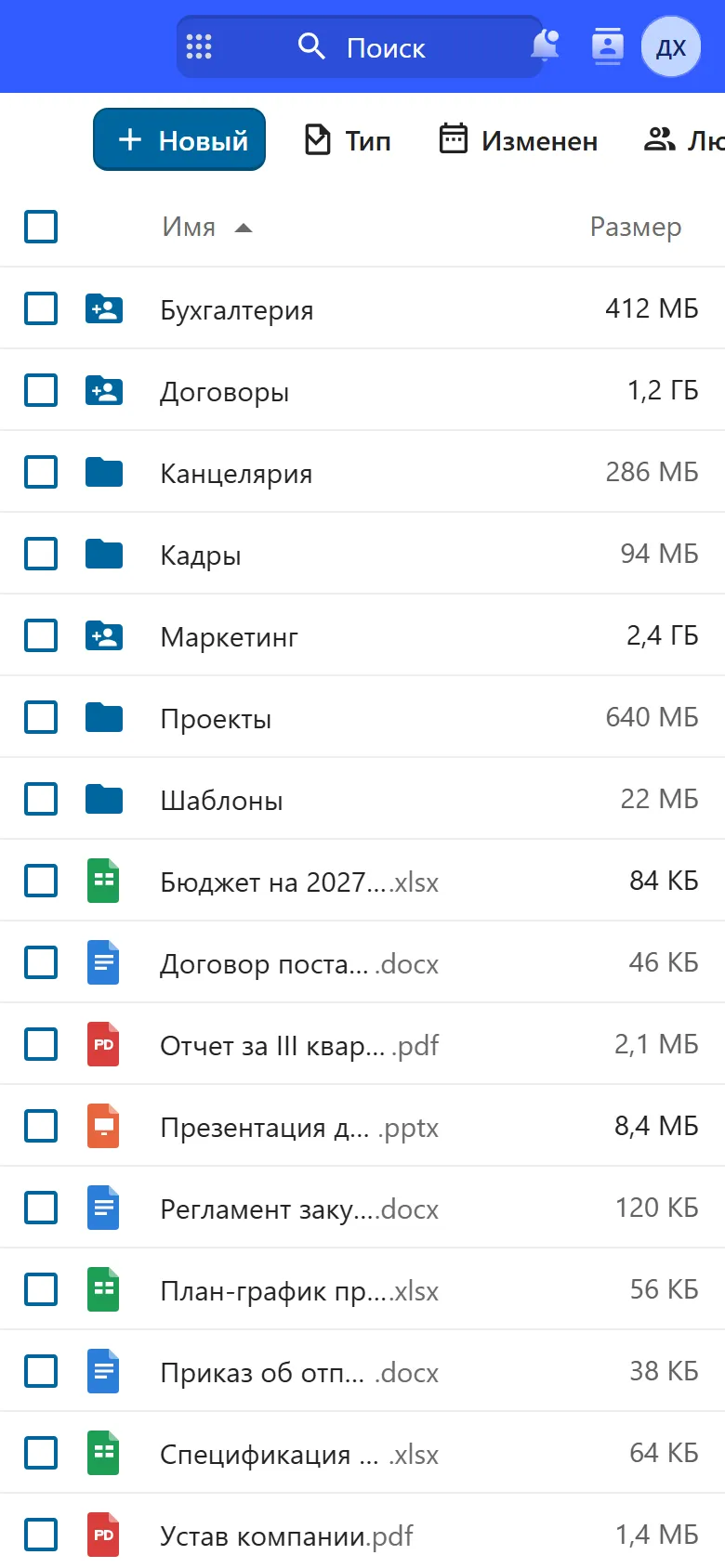
Hub works in a phone browser. There are iOS and Android apps for files and chat.
Works with the other modules
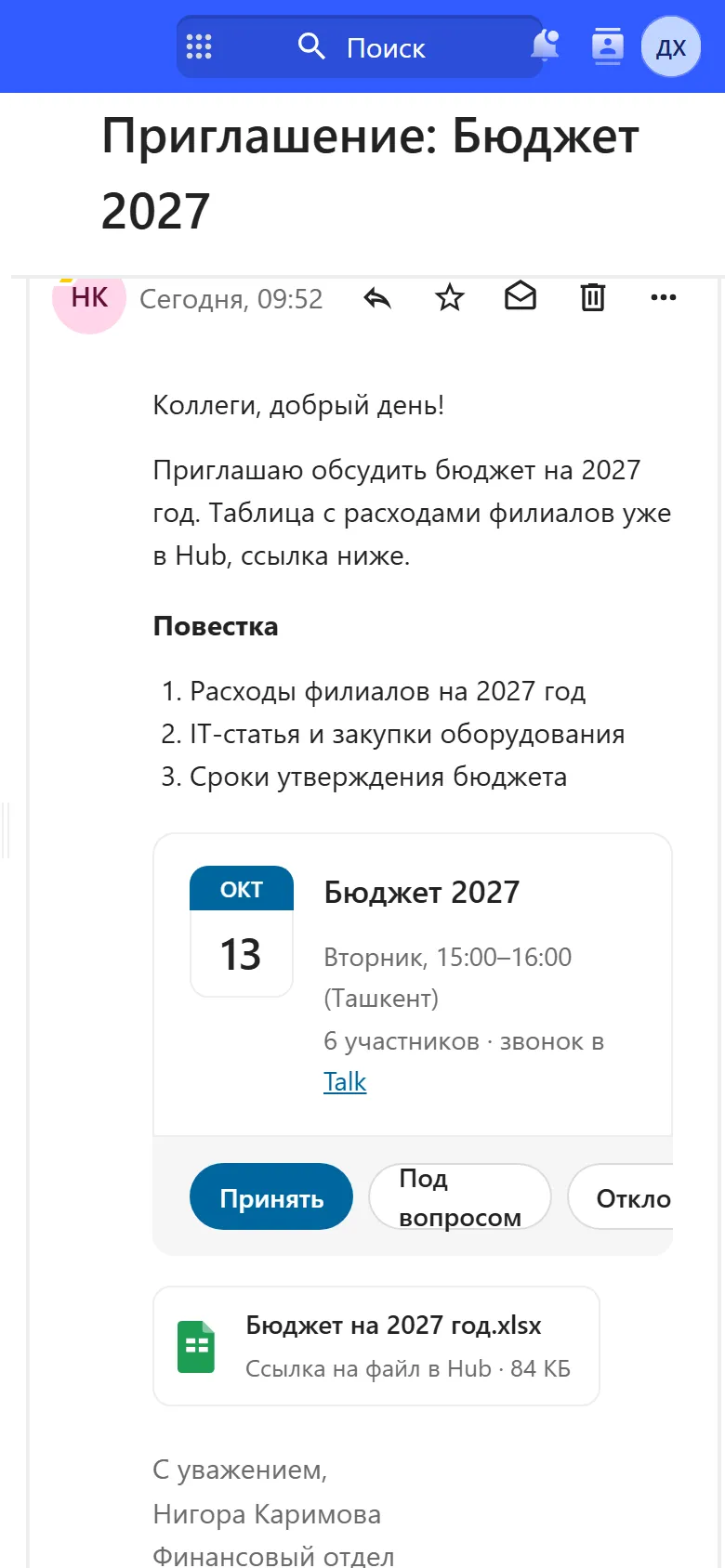
One sign-in, one set of permissions, shared files.
Price
UzCloud Files
UZS 39,000
per user per month, excl. VAT · from 300 users
The whole UzCloud Hub
UZS 84,900
Talk, Files, Office, mail, calendar and password manager
Questions
Where are the files physically stored?
On UzCloud servers in Uzbekistan. Files are not transferred outside the country.
Can we receive files from a partner without registration?
Yes. Send an upload link: the partner opens it in a browser and uploads documents without an account.
What if a document is overwritten by mistake?
Open the Versions tab and restore the revision you need. Deleted files are kept in the bin.
How much space does each employee get?
5 GB per user. If you need more, we work out the volume for your organisation.
Is there sync with computers?
Yes. Clients for Windows, macOS and Linux sync folders automatically, and there are iOS and Android apps for phones.
Can we connect Active Directory?
Yes. Staff sign in via SSO/SAML with your Active Directory or another corporate directory.
Move your shared folders to Files
We set up a demo environment and help you move your files.