Documents, spreadsheets and presentations together with colleagues
Edit text as a team in the browser and sign with E-IMZO. Nothing to install.
UZS 26,900 per user per month
What’s inside
-
.docx, .xlsx, .pptx formats
Open partners’ files without losing anything
-
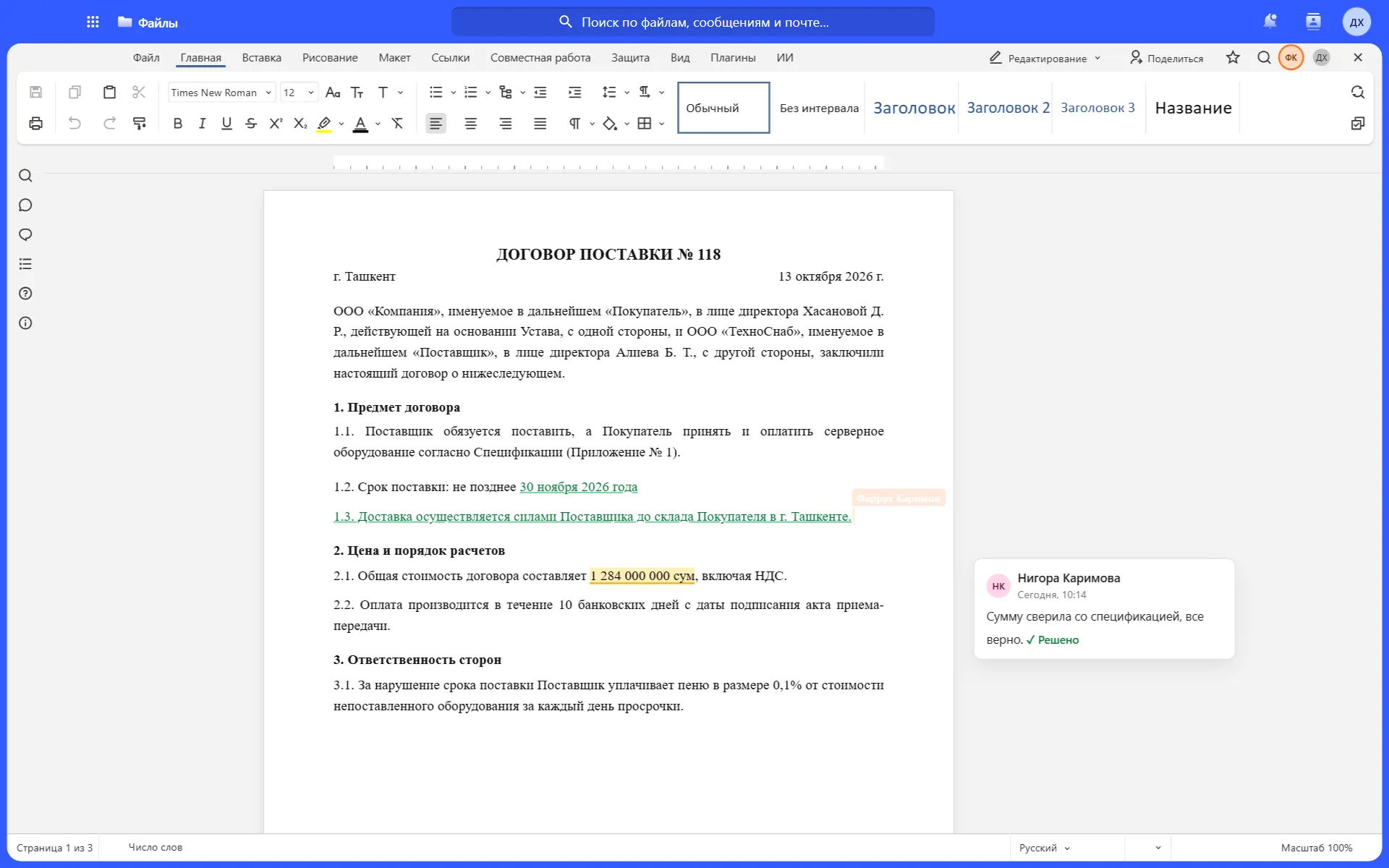
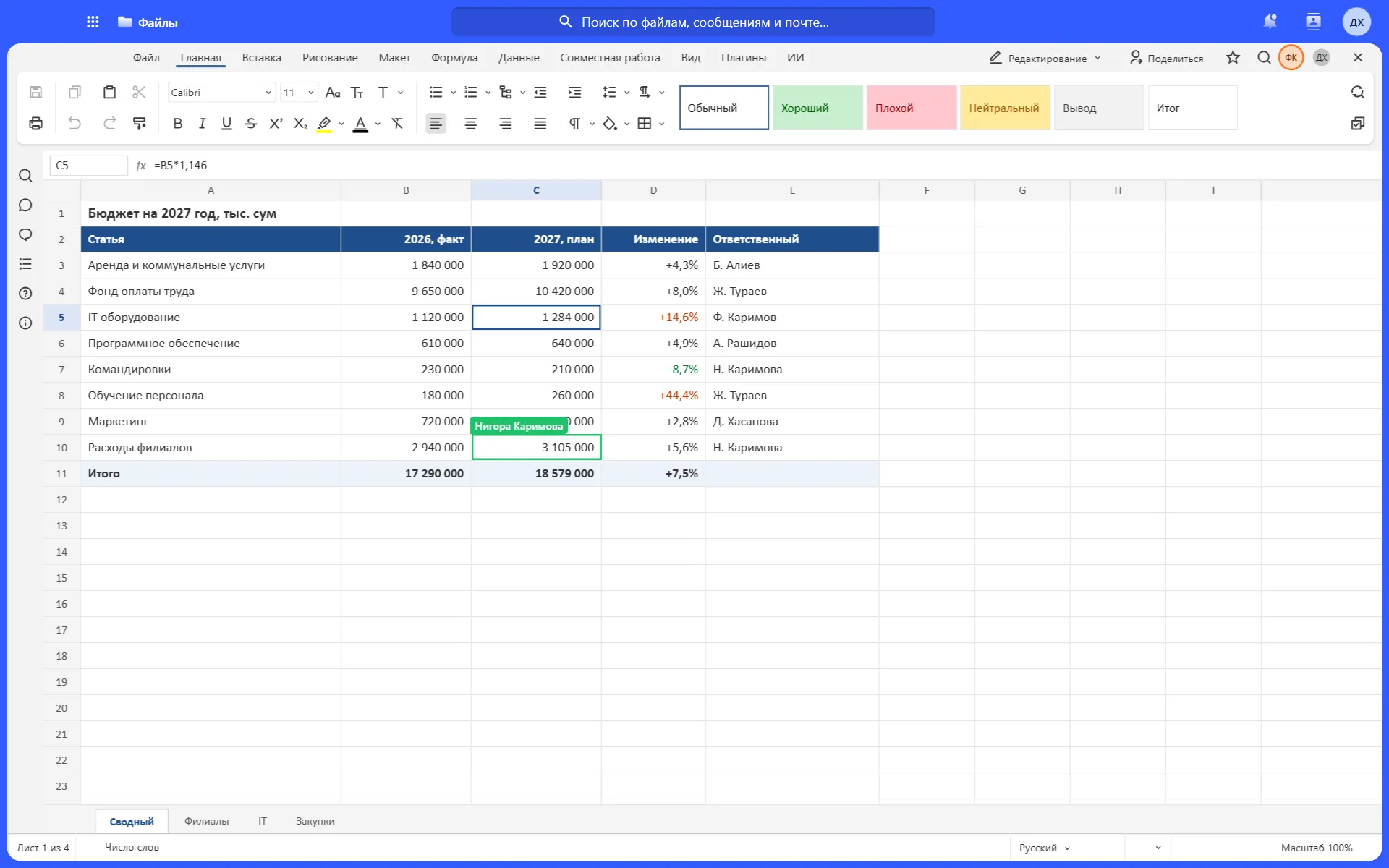
Edit together
See colleagues’ cursors and changes at once
-
Comments
Discussion next to the right paragraph
-
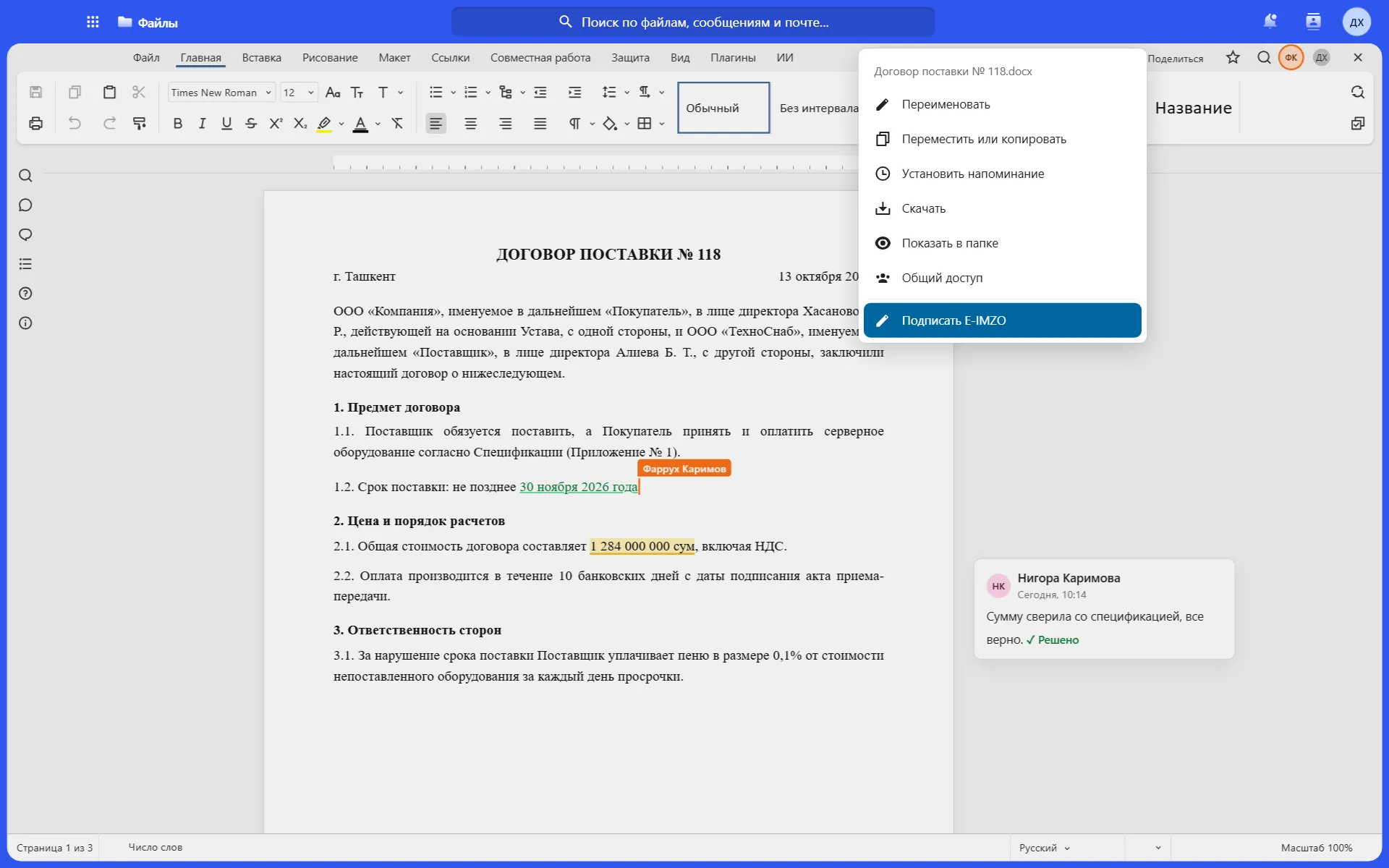
E-IMZO signature
Sign from the file menu
-
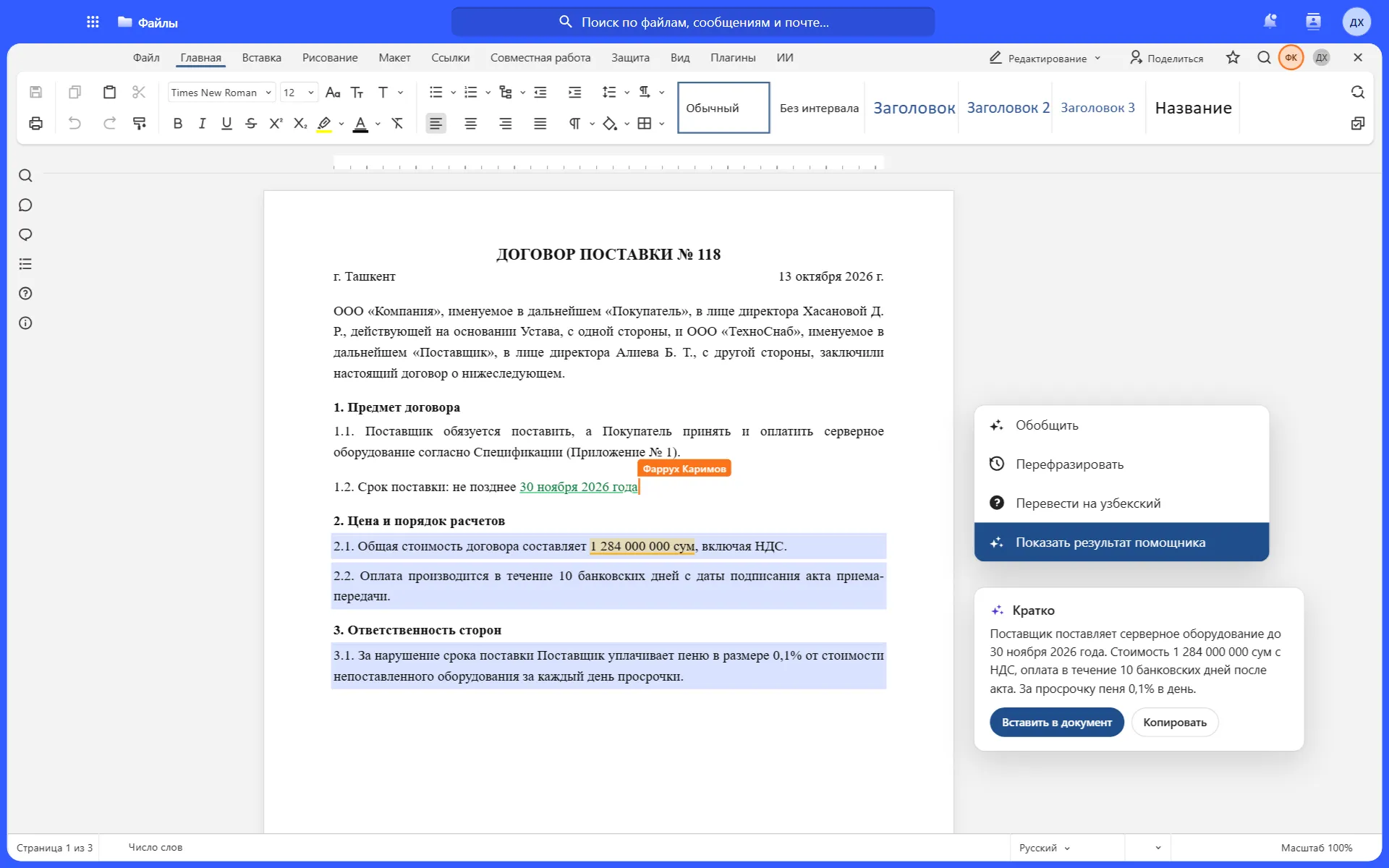
AI assistant
Summarises, rephrases, translates
-
Scan recognition
PDFs and photos become text
Take a closer look at Office
Real screens with sample data.
Who it is for
Ministries and government bodies
Orders and regulations with an E-IMZO signature
Legal departments
Contracts with versions and revision comparison
Accounting and finance
Spreadsheets that several people edit
Secretariat
Templates, scan recognition, drafts
Sign in one step after approval
No need to download the document and open it in another program.
Supply contract No. 118.docx
Revision 4 · changed 10 minutes ago
- FKFarrukh KarimovLegal departmentApproved
- NKNigora KarimovaFinance departmentApproved
- ARAziz RashidovProcurementApproved
Example with sample data.
Works with the other modules
One sign-in, one set of permissions, shared files.
Price
UzCloud Office
UZS 26,900
per user per month, excl. VAT · editor, recognition and AI assistant
The whole UzCloud Hub
UZS 84,900
Talk, Files, Office, mail, calendar and password manager
Questions
Are the files compatible with common formats?
Yes. The editor opens and saves .docx, .xlsx and .pptx, and formatting is preserved.
Does recognition work in Uzbek?
Yes, in both Latin and Cyrillic script, and in Russian too.
Do we need to install anything?
No. The editor works in the browser, on a computer and on a phone.
How does the E-IMZO signature work?
Open the document and choose Sign in the file menu. No need to download the file or open another service.
Can we compare two revisions of a contract?
Yes. Hub keeps every revision, and the editor shows the changes between them.
Does the editor work offline?
It needs a network connection. If you need to work in a closed environment, we deploy Hub on your premises.
Create a document, invite a colleague, sign
We show it all in the first 10 minutes of a demo in a real environment.