
Execution control without manual reports
Every assignment has an assignee and a deadline. You see overdue work by department and employee on one panel.
Included in the UzCloud Flow subscription: UZS 69,900 per user per month
A resolution across departments
One resolution, three subtasks. Statuses change as work goes on, and the panel counters update themselves.
On information about implementing resolution No. 412
Subtasks
- SY Legal departmentYusupova S. · 14.11 In progress
- NK Finance departmentKarimova N. · 12.11 In progress
- DK Records officeKhasanova D. · 10.11 In progress
Control panel
- Overdue
- 0
- In progress
- 3
- Completed
- 0
Counters are built from assignment statuses automatically.
How an assignment is carried out
From resolution to the done mark. The head sees the result without collecting reports.
-
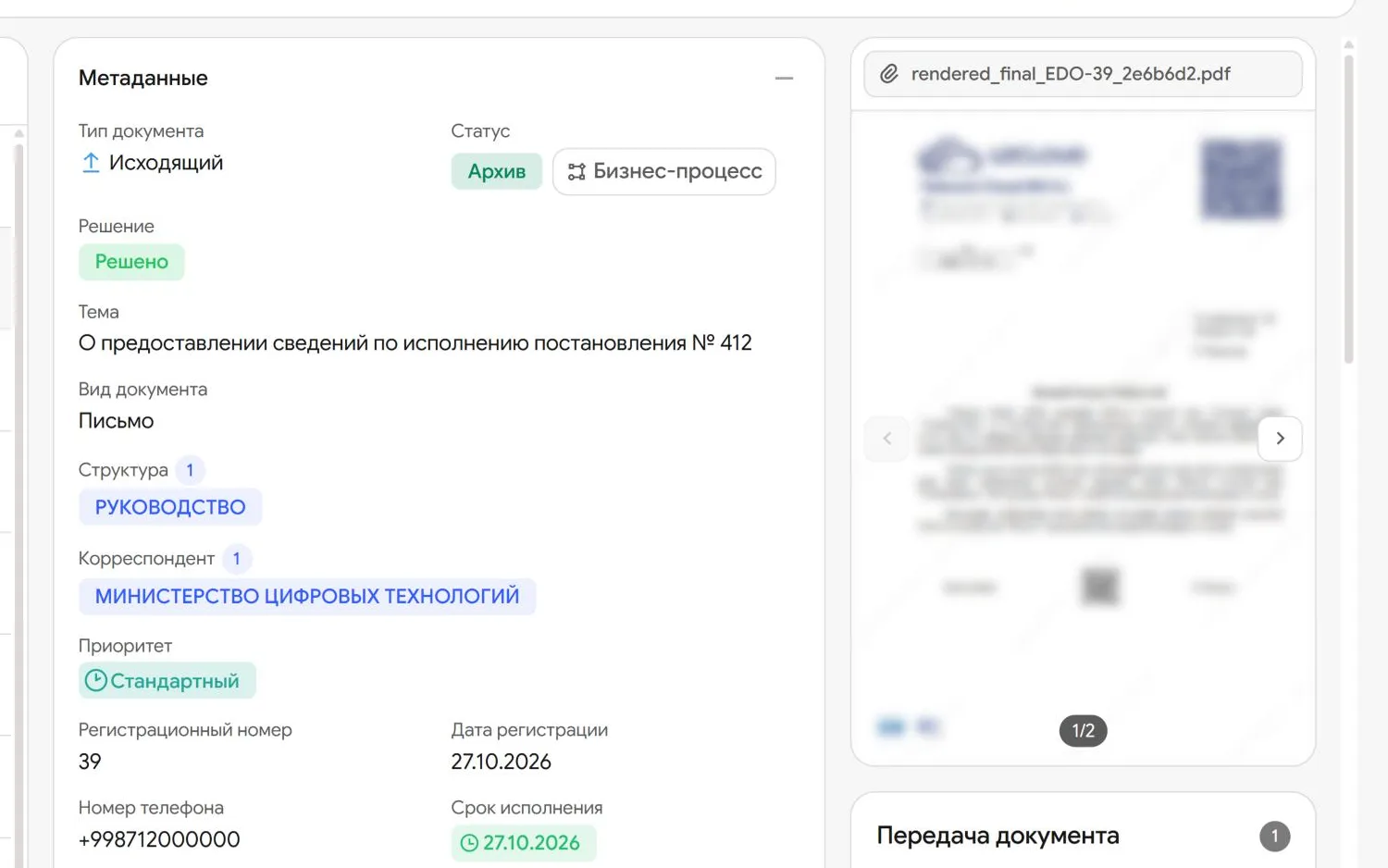
Writes a resolution
The assignment text, assignee and deadline. The resolution is signed with E-IMZO.
-
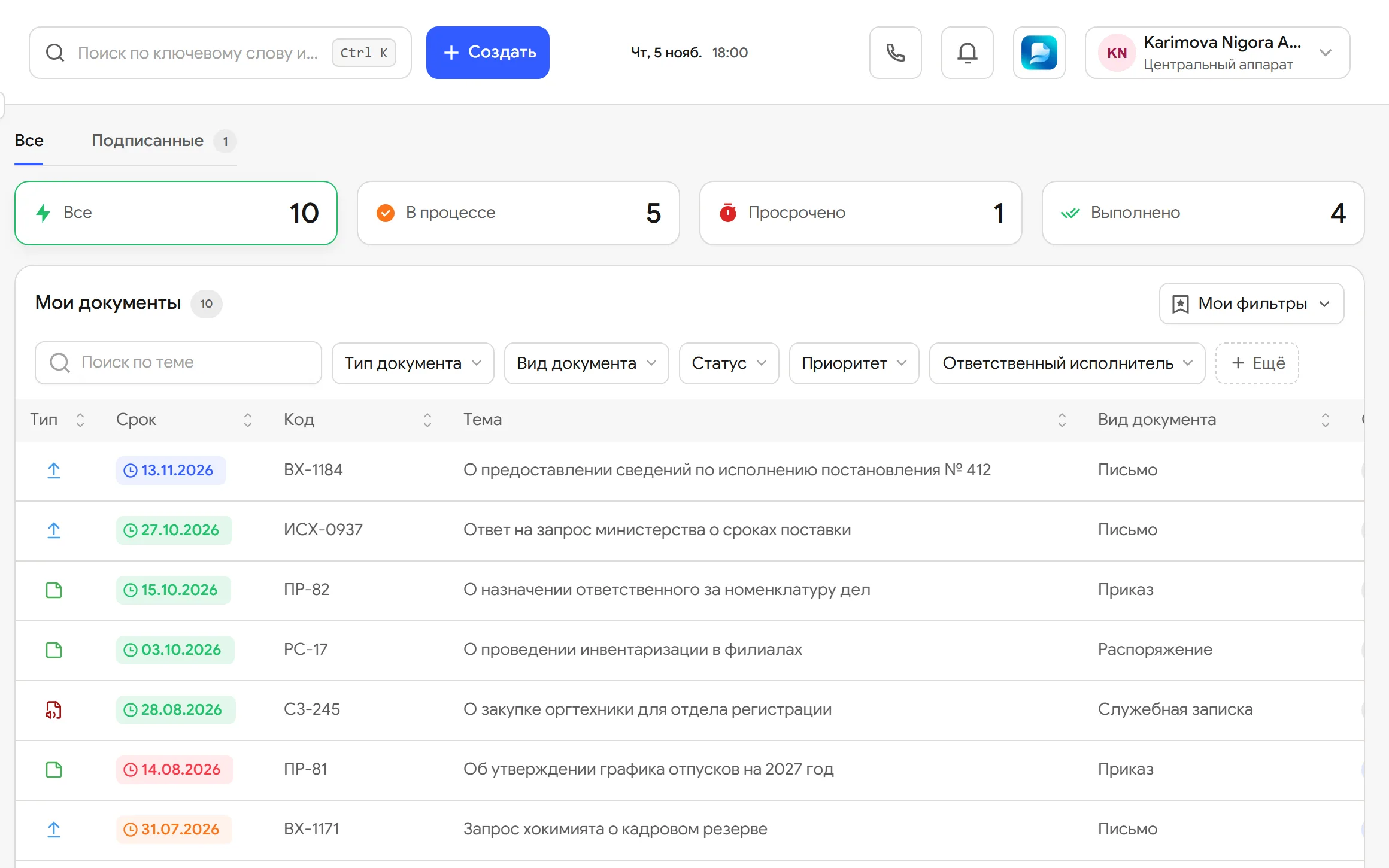
Creates the assignment
The assignee sees it in their list with a deadline and status. The assignment can be split into subtasks for several departments.
-
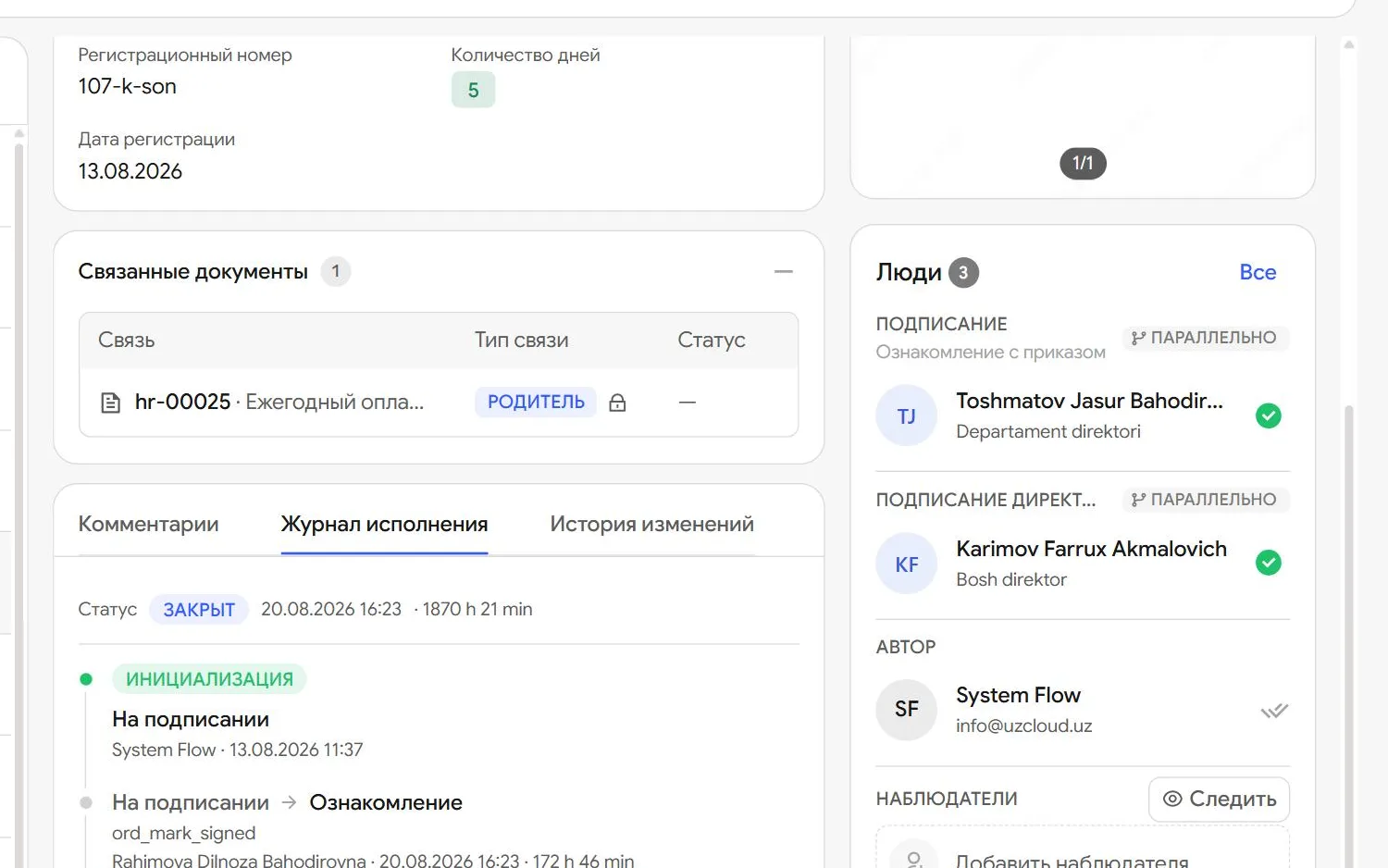
Marks it as done
Presses Done. The counter in their list goes down and the initiator is notified of the result.
-
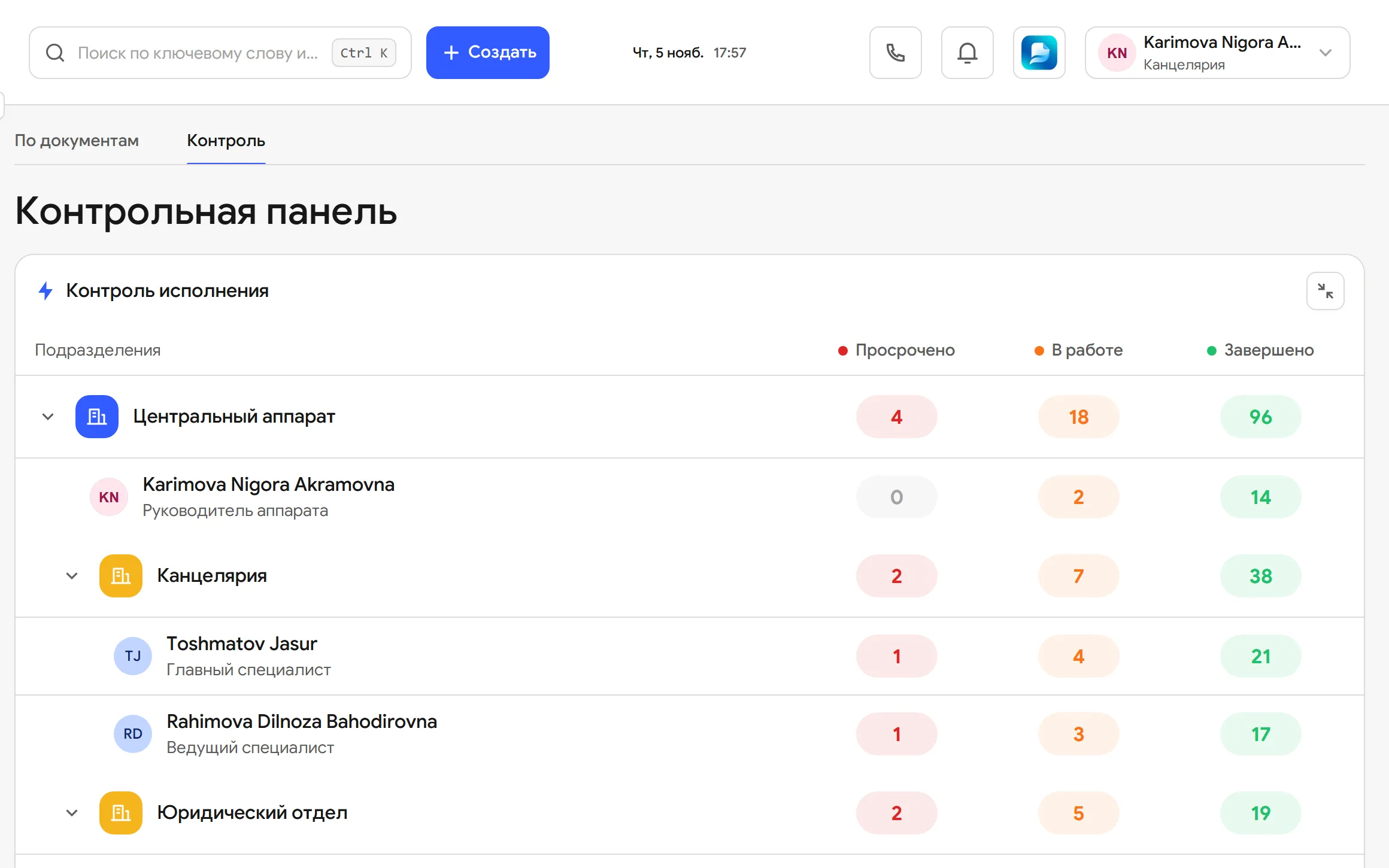
Checks the control panel
Overdue, current and completed assignments for every department. A department opens down to the employee.


What is inside
-
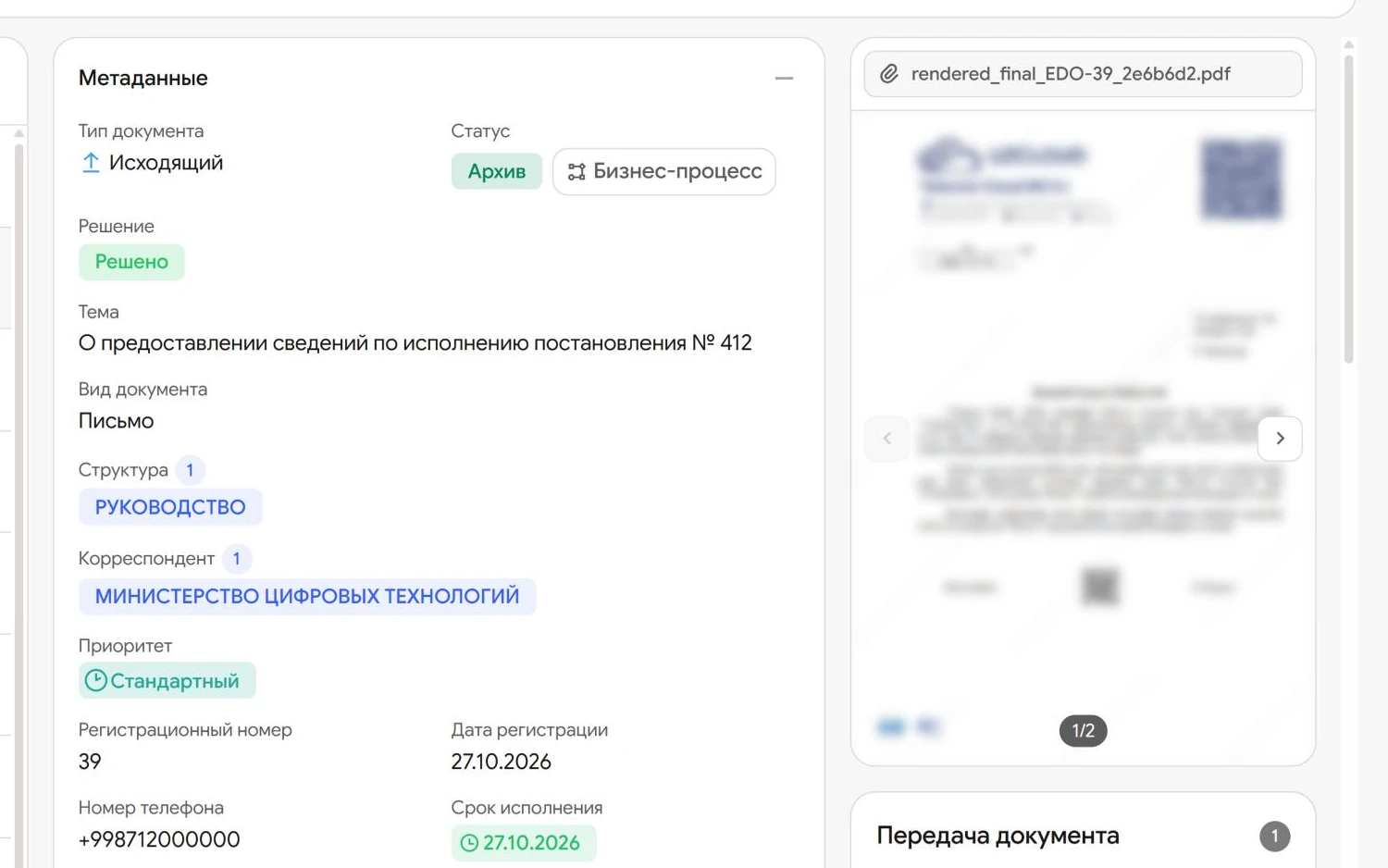
Assignment with an assignee and deadline
A resolution becomes an assignment with a status that every participant can see.
-
Subtasks by department
An assignment splits into subtasks with their own assignees and deadlines, and each status is on the card.
-
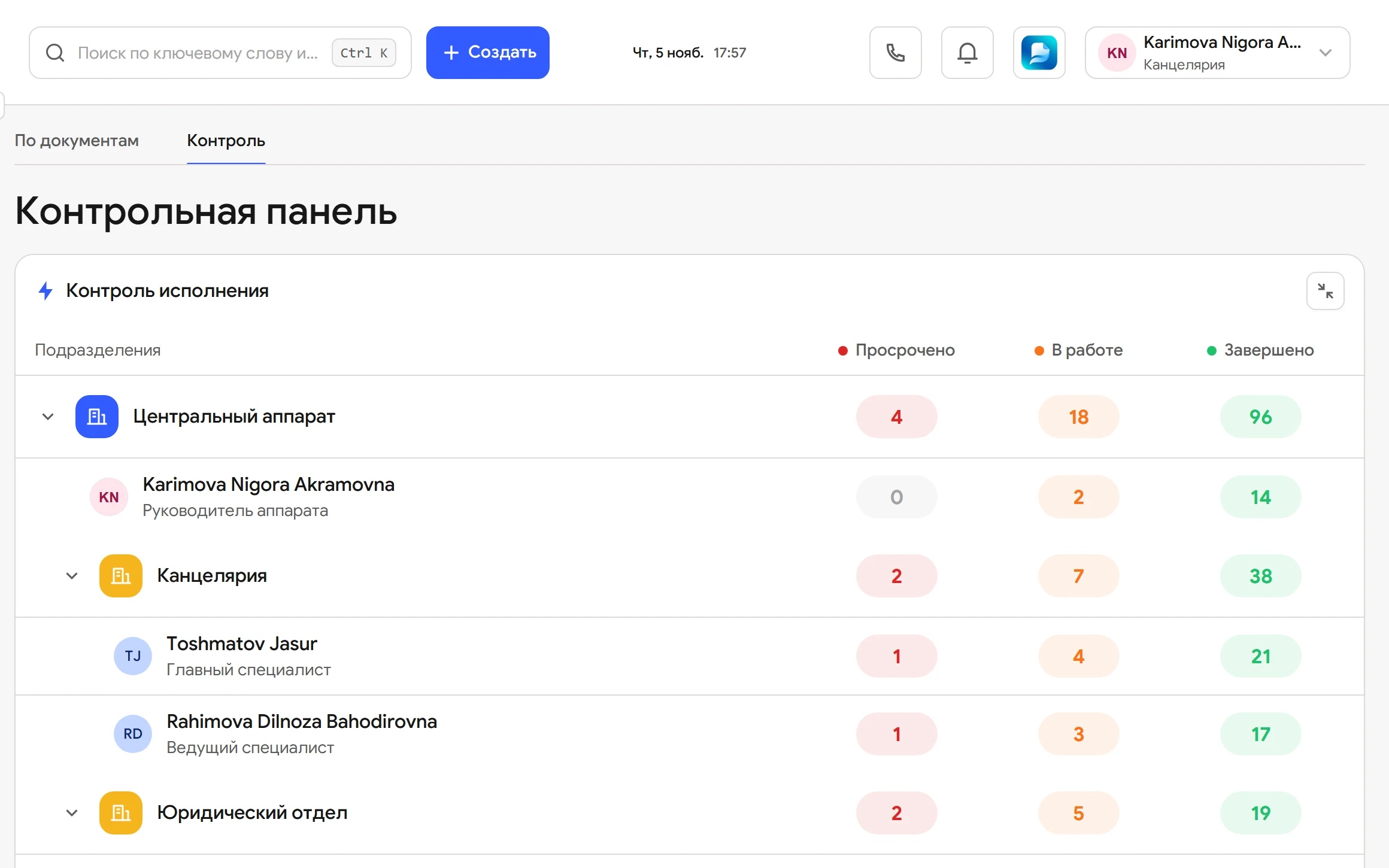
Control panel
Overdue, in progress and completed for every department and employee.
-
From department to person
A department opens down to the employee, so you see exactly who is behind.
-
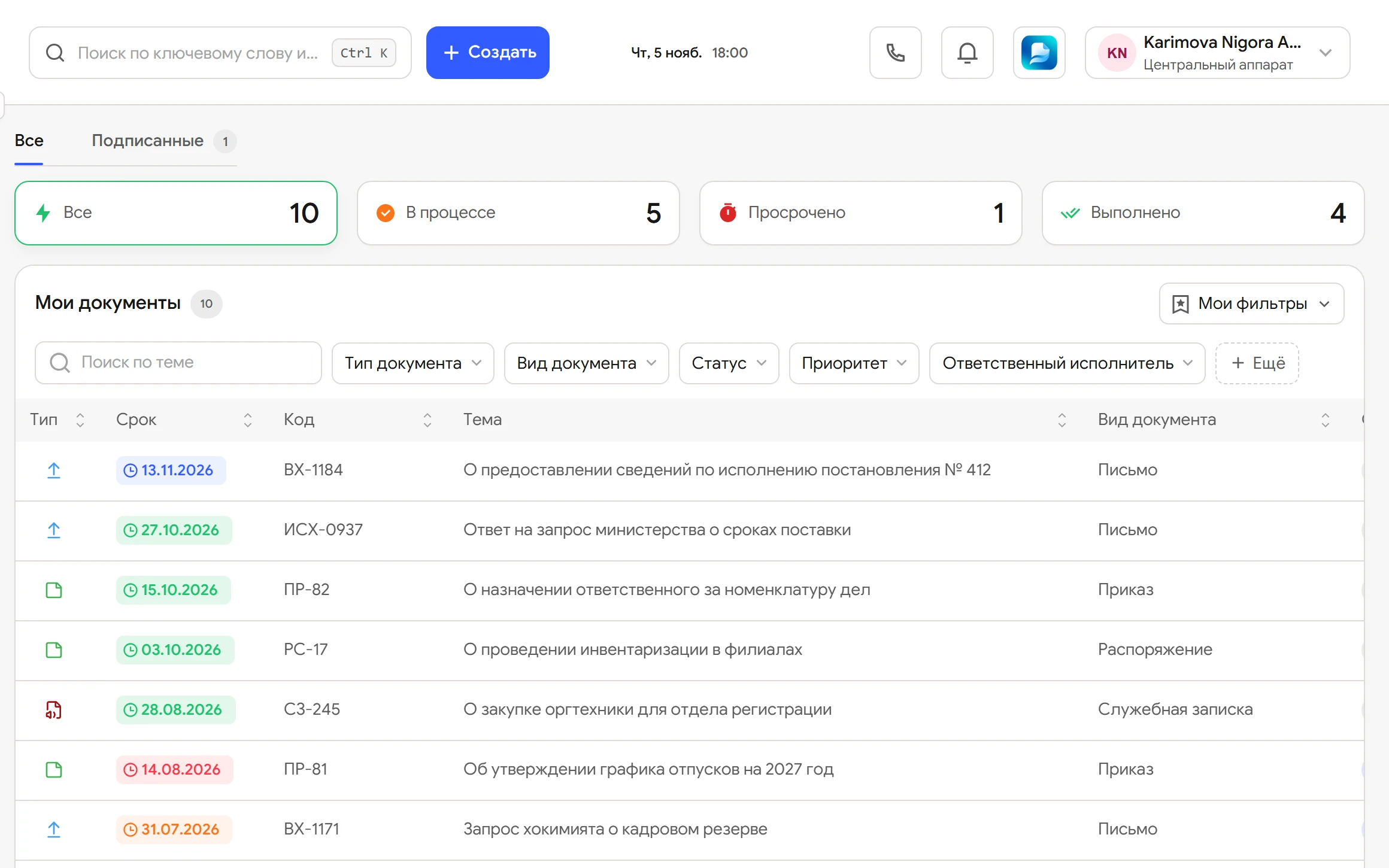
Overdue stands out
Missed deadlines are highlighted in red in lists and on the panel.
-
Every task in one list
Documents to sign, approve and carry out are collected in each employee’s My documents, with counters.
-
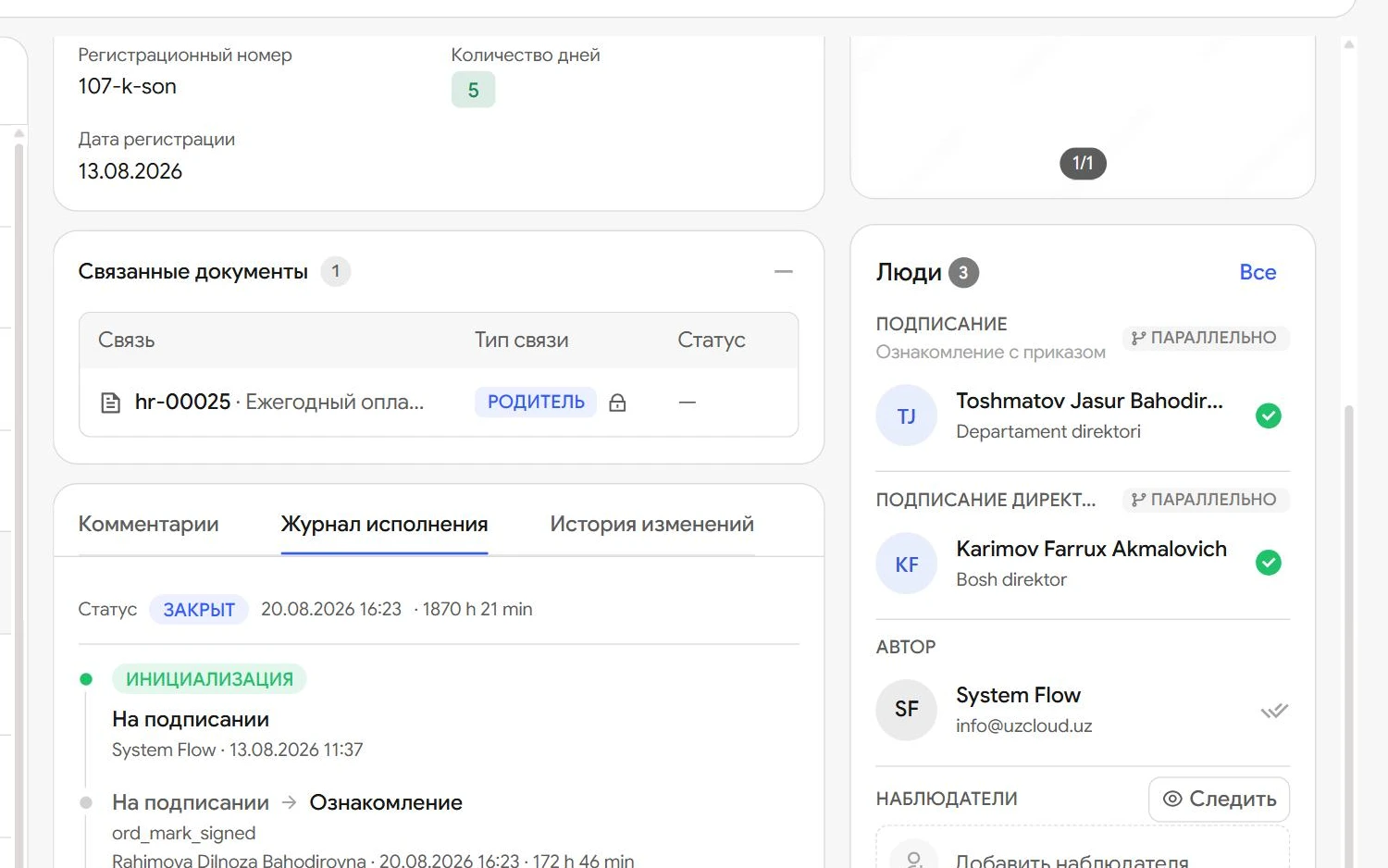
Execution log
Every status change is recorded: who, when and how long the document spent at each stage.
-
Filters
Lists filter by document type, status, priority and responsible assignee.
What each participant gets
-
Head of the organisation
Sees execution discipline across the organisation on one panel.
-
Head of department
Splits an assignment between employees and keeps track of the department’s deadlines.
-
Assignee
Sees all their assignments with deadlines in one list and marks them done with one button.
-
Records office
No longer collects progress notes: statuses are visible in the register.
Questions
How does a manager see overdue work?
On the control panel. For every department and employee it shows how many assignments are overdue, in progress and completed.
Can an assignment be split between departments?
Yes. It splits into subtasks with their own assignees and deadlines, and the status of each one is on the card.
How does an assignee learn about a new assignment?
It appears in their My documents with a deadline and in Flow notifications.
How does the initiator know it is done?
The assignee presses Done and the initiator is notified of the result.
Can we see who changed a status and when?
Yes. The execution log keeps every transition: who, when and how long the document spent at each stage.
Do we have to compile execution reports by hand?
No. Deadlines and statuses of assignments come together on the control panel by themselves.
Let us show you UzCloud Flow on your own documents
45 minutes online or at your office. No obligation.