
Records office without paper registers
Incoming, outgoing and internal documents are registered on one card. The number in your mask, the deadline and the assignee are set straight away.
Included in the UzCloud Flow subscription: UZS 69,900 per user per month
A number in the mask for every type
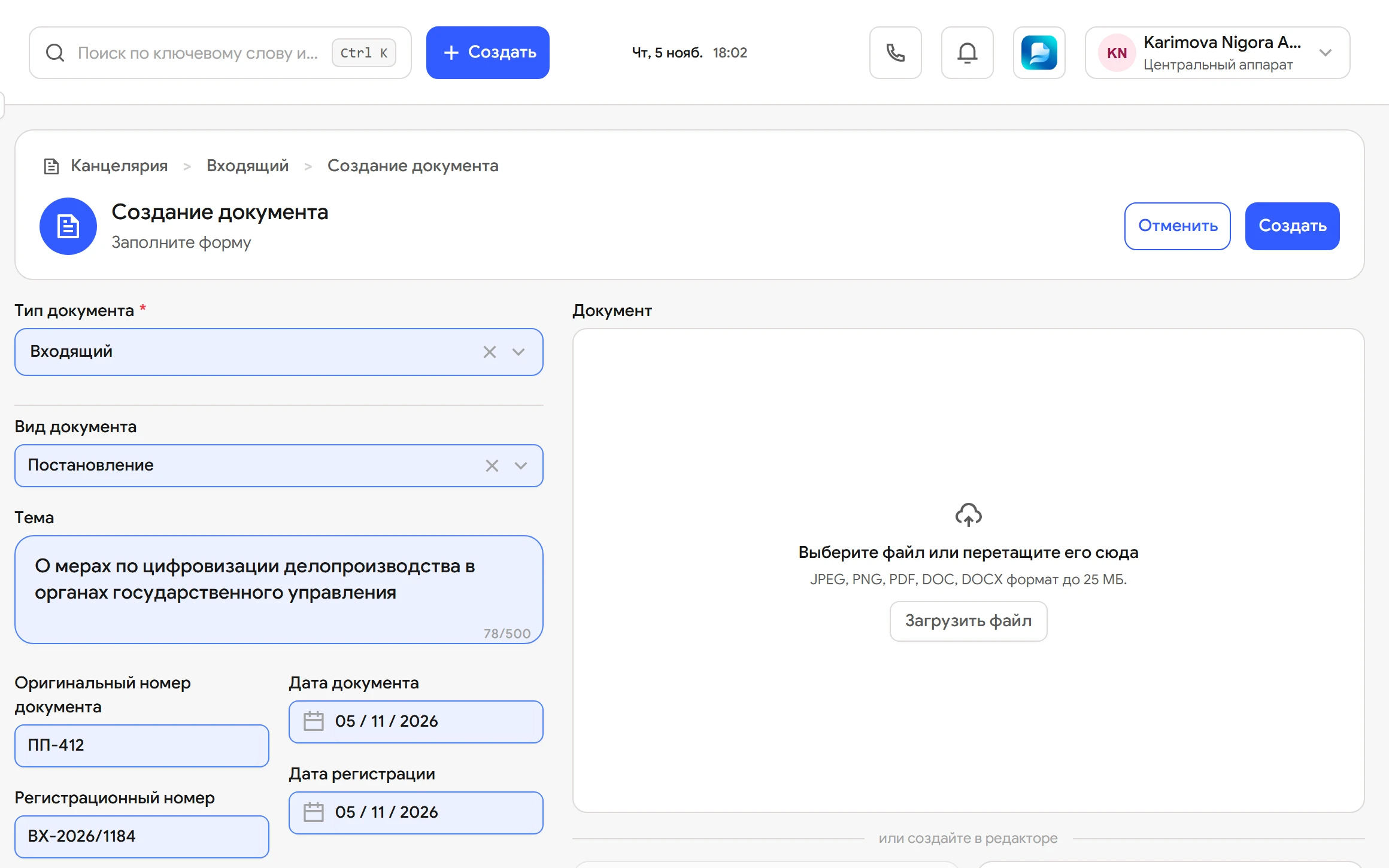
Pick a document type: Flow fills in the card, assigns a number in the mask and adds the entry to the registration log.
On information about implementing resolution No. 412
- Registration date
- 06.11.2026
- Correspondent
- Ministry of Digital Technologies
- Deadline
- 20.11.2026
- Assignee
- Yusupova S.
- Structure
- Legal department
Registration log
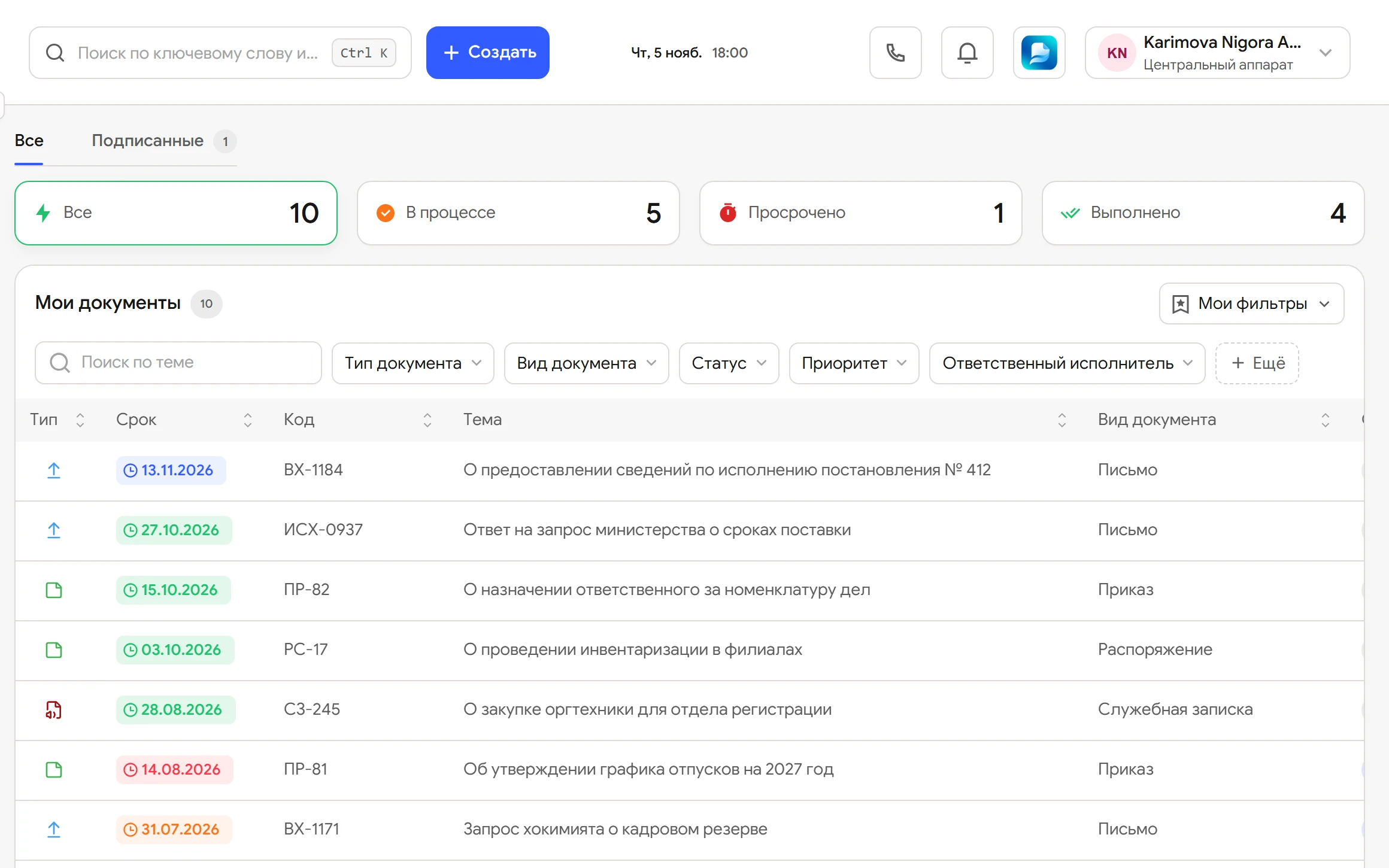
- 26/00043On information about implementing resolution No. 41206.11.2026
- 26/00042Request for information on the talent pool05.11.2026
- 34-26/82On stocktaking in the branches05.11.2026
- 27-02-14/447Notice of changed bank details04.11.2026
The number is assigned at registration in the mask of the document type and locked for editing.
How an incoming letter is registered
From envelope to assignee on one card. Buttons and statuses are the same as in the Flow interface.
-
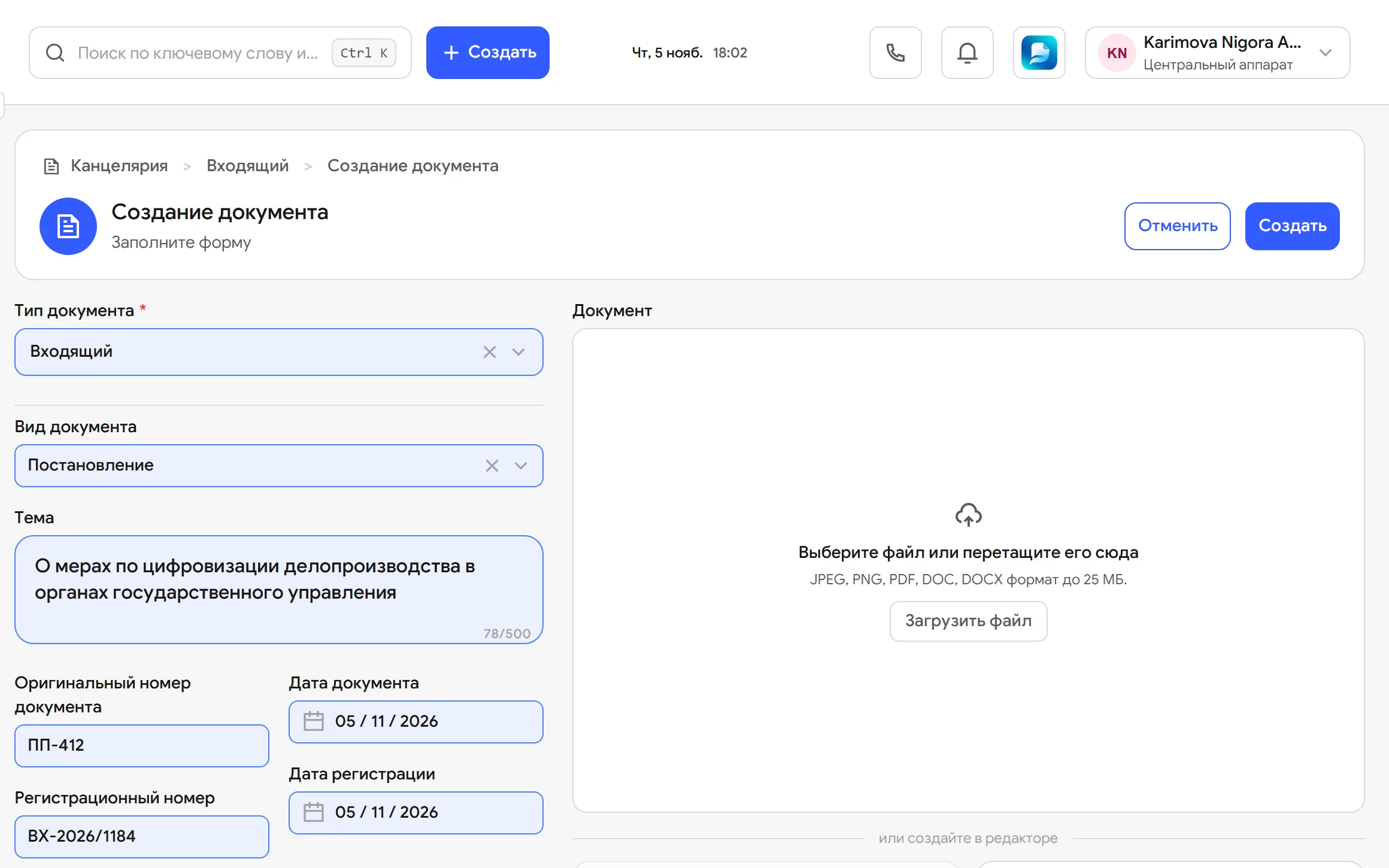
Creates the card
Correspondent, incoming number and date, assignee, deadline and the letter file in one form.
-
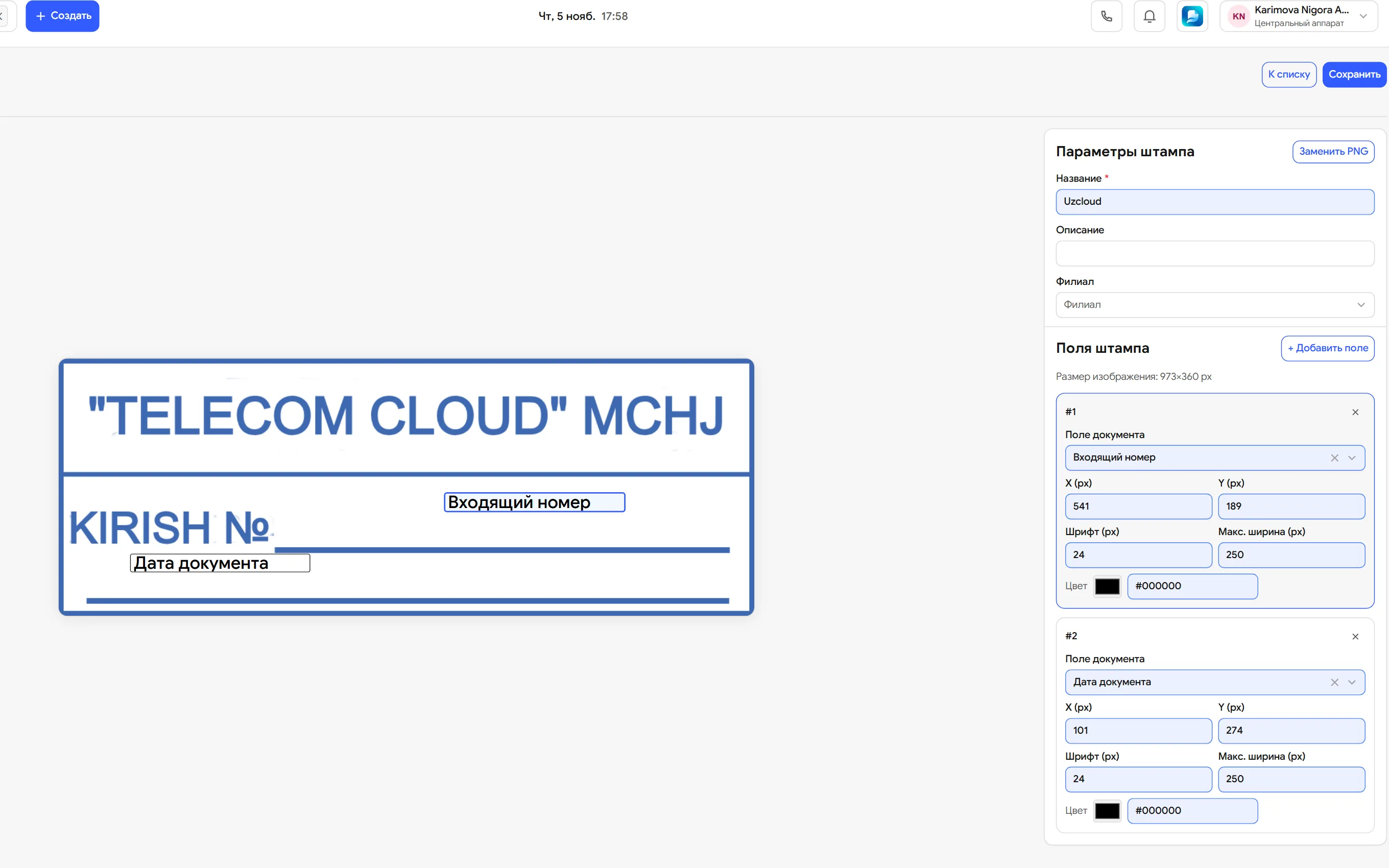
Stamps it
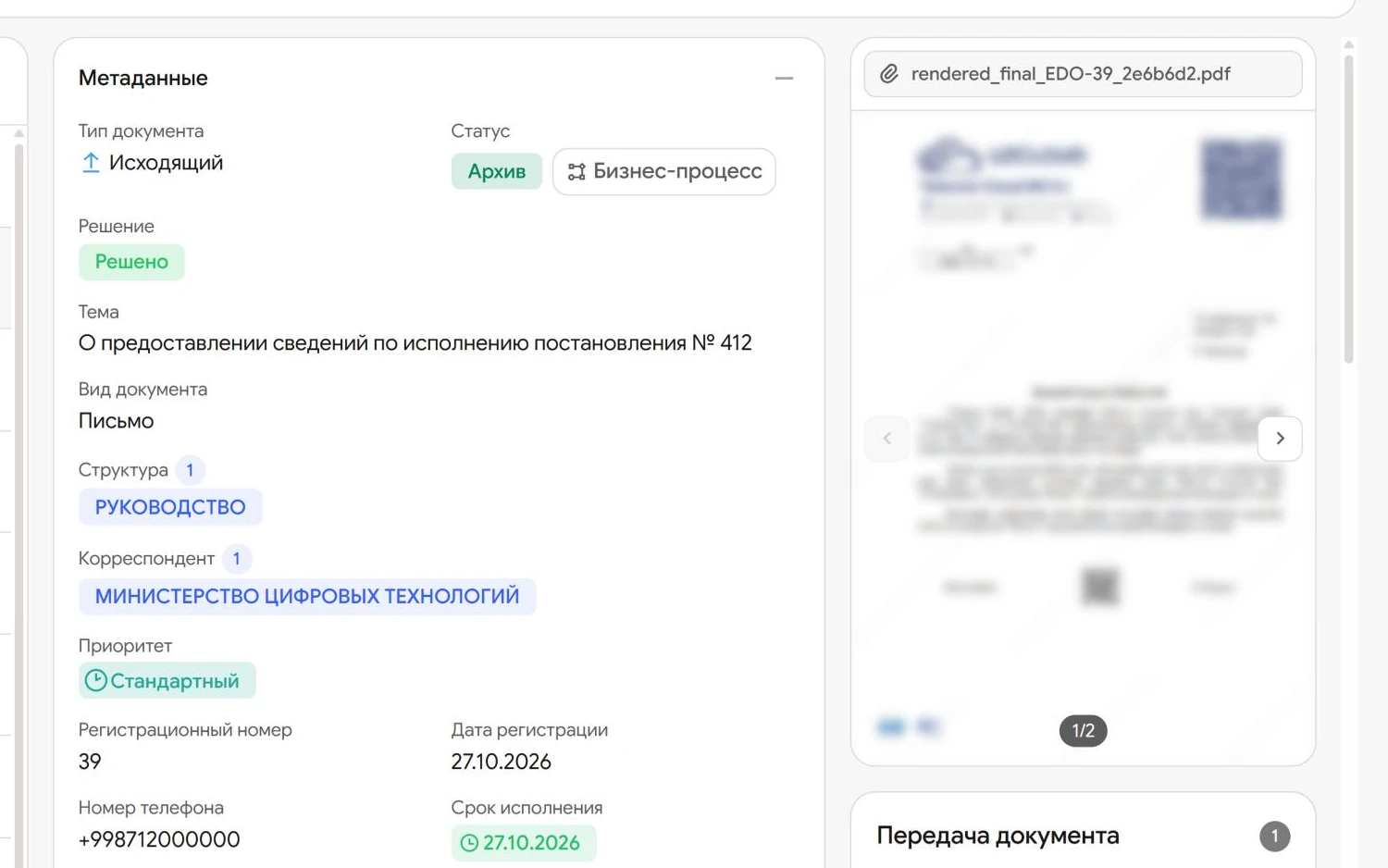
The Stamp button places the stamp on the PDF. The registration number is assigned automatically and locked for editing.
-
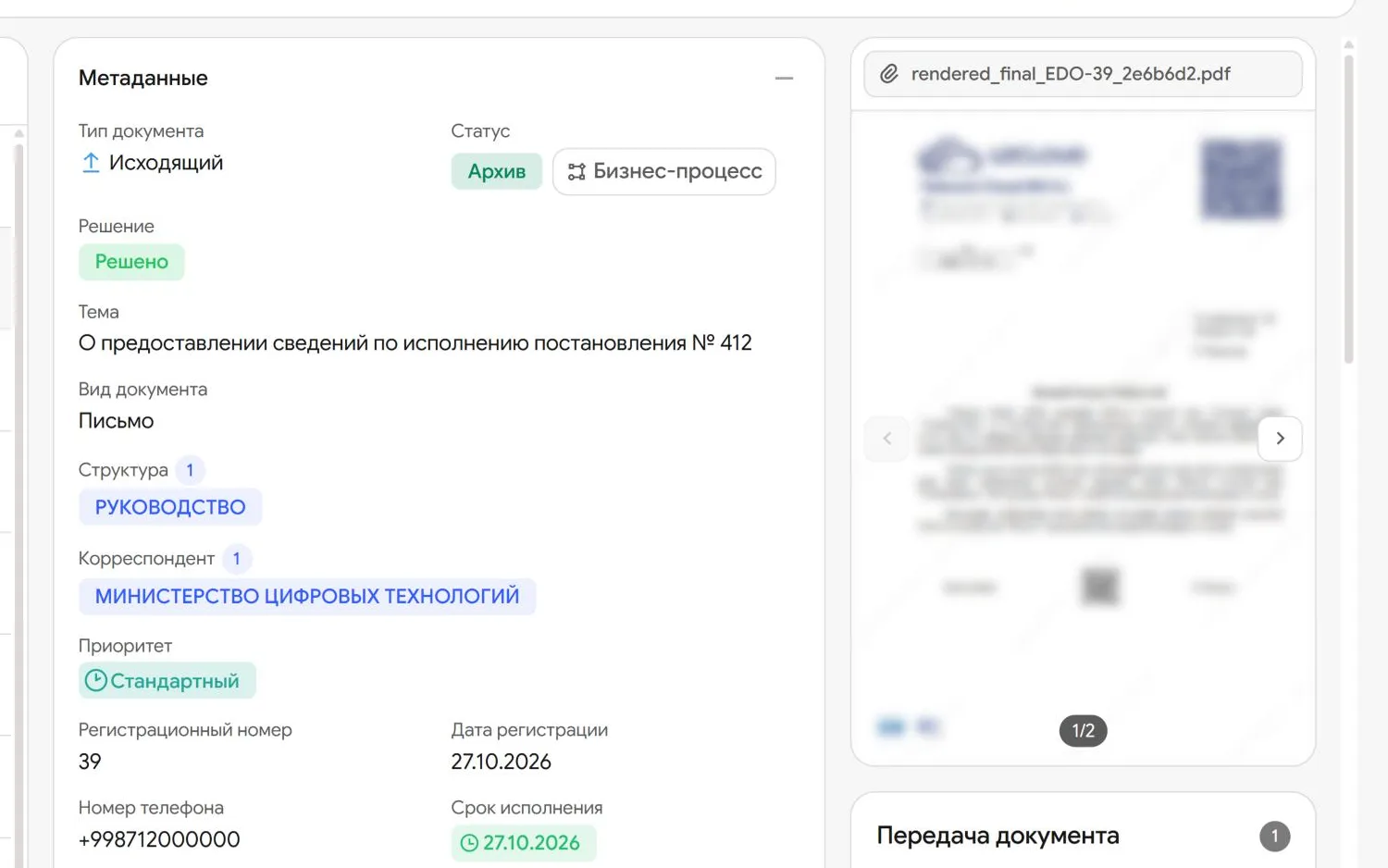
Forwards it to the heads
The departments that need the document go into the Structure field.
-
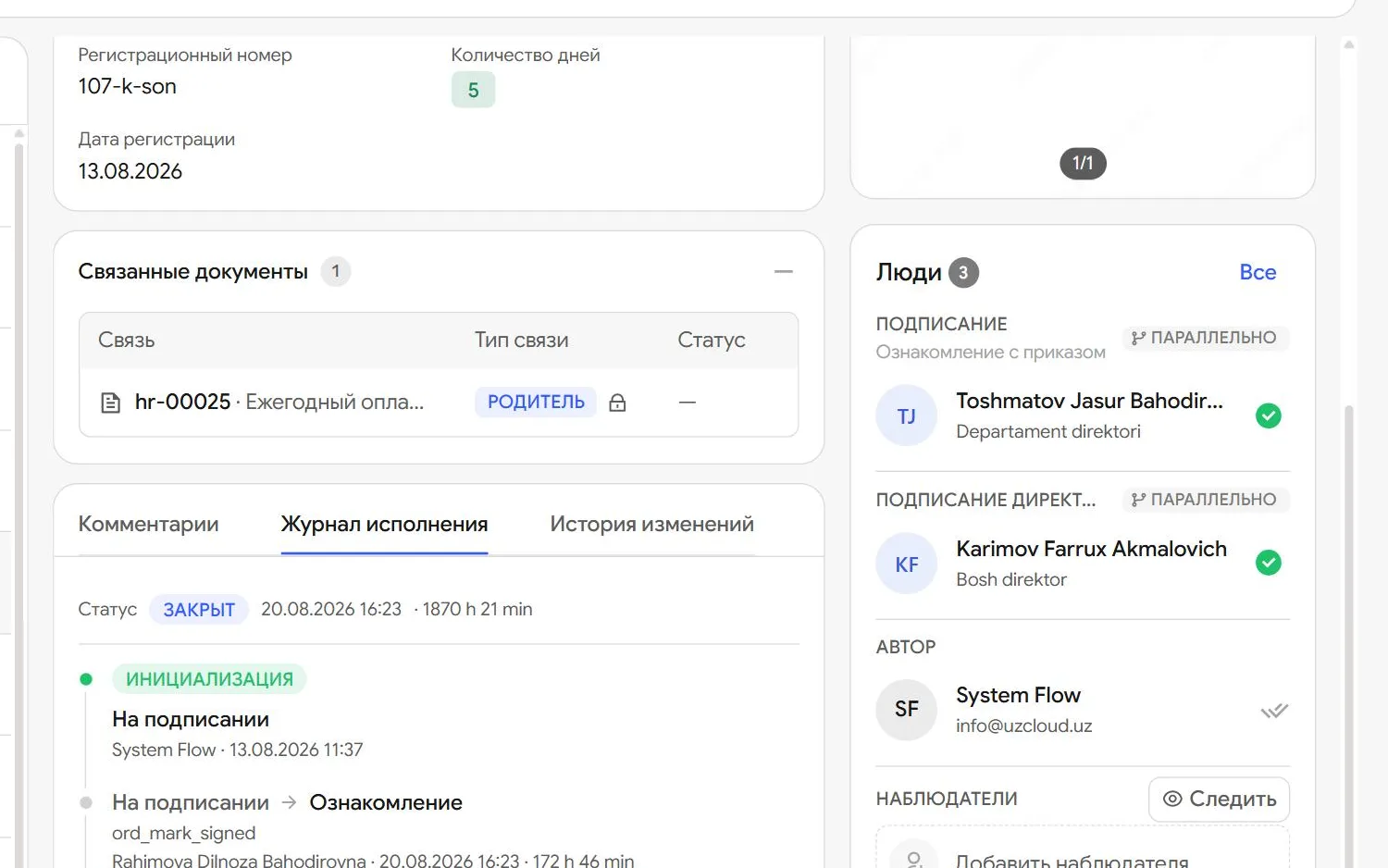
Writes a resolution
Sets the assignee and deadline and signs the resolution with E-IMZO.
-
Carries it out
Marks it as done. The records office sees the result in the register without asking for a report.


What is inside
-
Incoming, outgoing, internal
Letters, orders, directives, internal memos and minutes are registered in one system.
-
Numbers in your mask
We set the number format for you, such as “26/00042” for incoming letters or “34-26/82” for orders. Numbering is continuous.
-
One-click stamp
Stamp places a stamp with the number and date on the letter’s PDF.
-
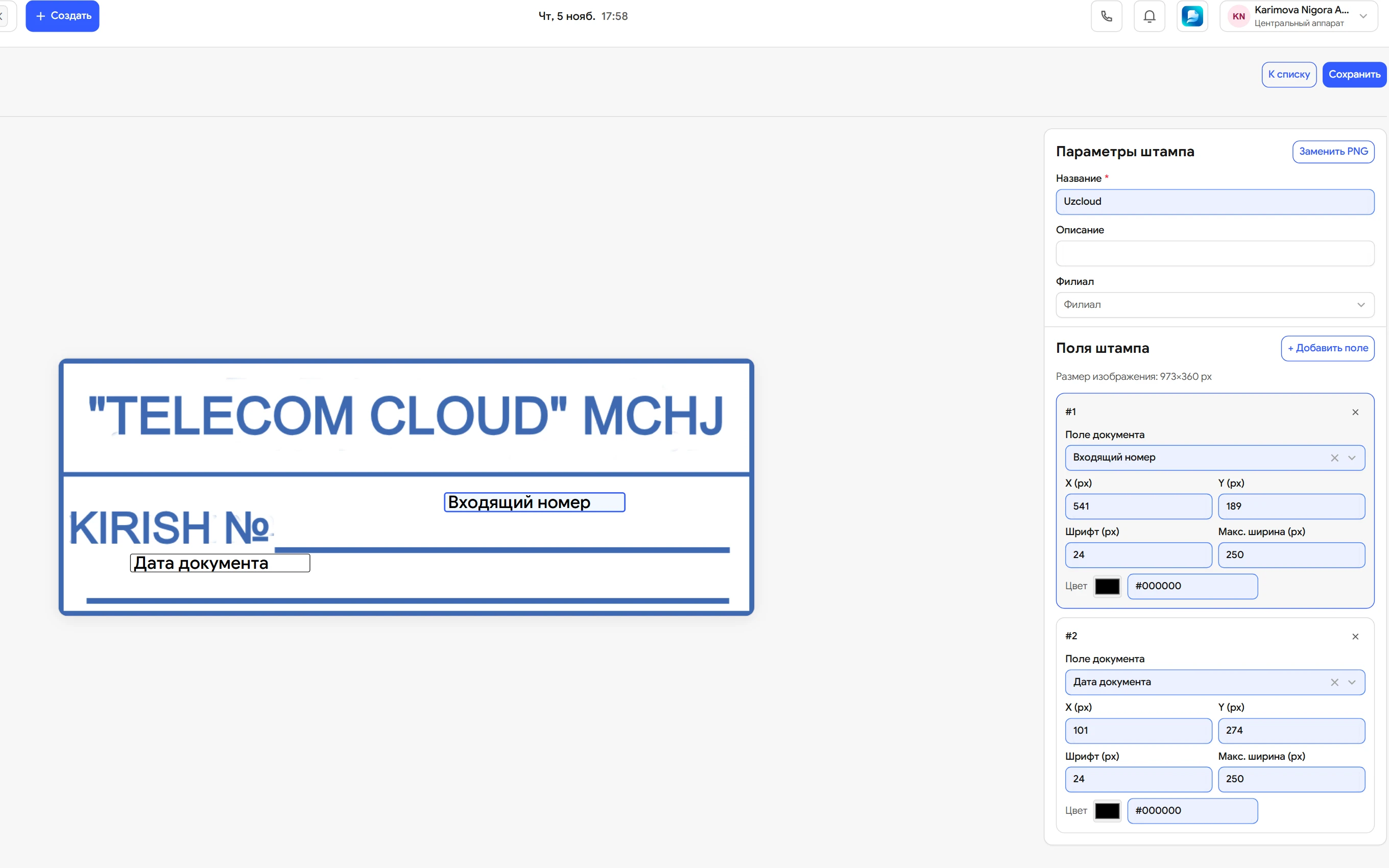
Letterheads and stamps
Upload a template as PNG or PDF and place the document fields on top of it. Outgoing letters are typed straight on the letterhead.
-
The records office queue
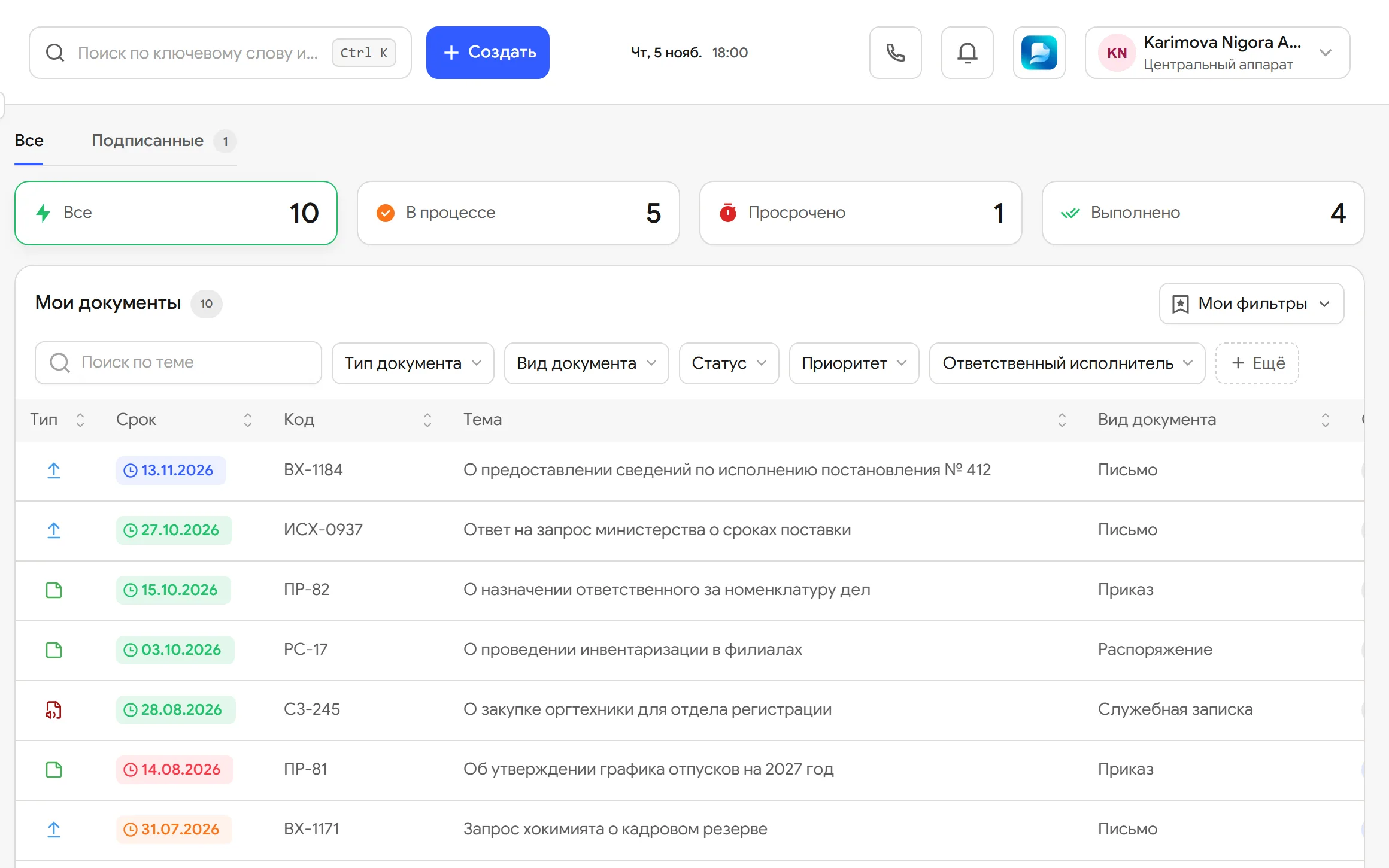
The To register, Registered and Forwarded tabs show what is waiting.
-
Branch letters
Branches register their letters in the same system, and each works with its own documents.
-
Exchange with enterprises
The head organisation sends documents and assignments to the group’s enterprises and receives replies in the same system.
-
HR documents
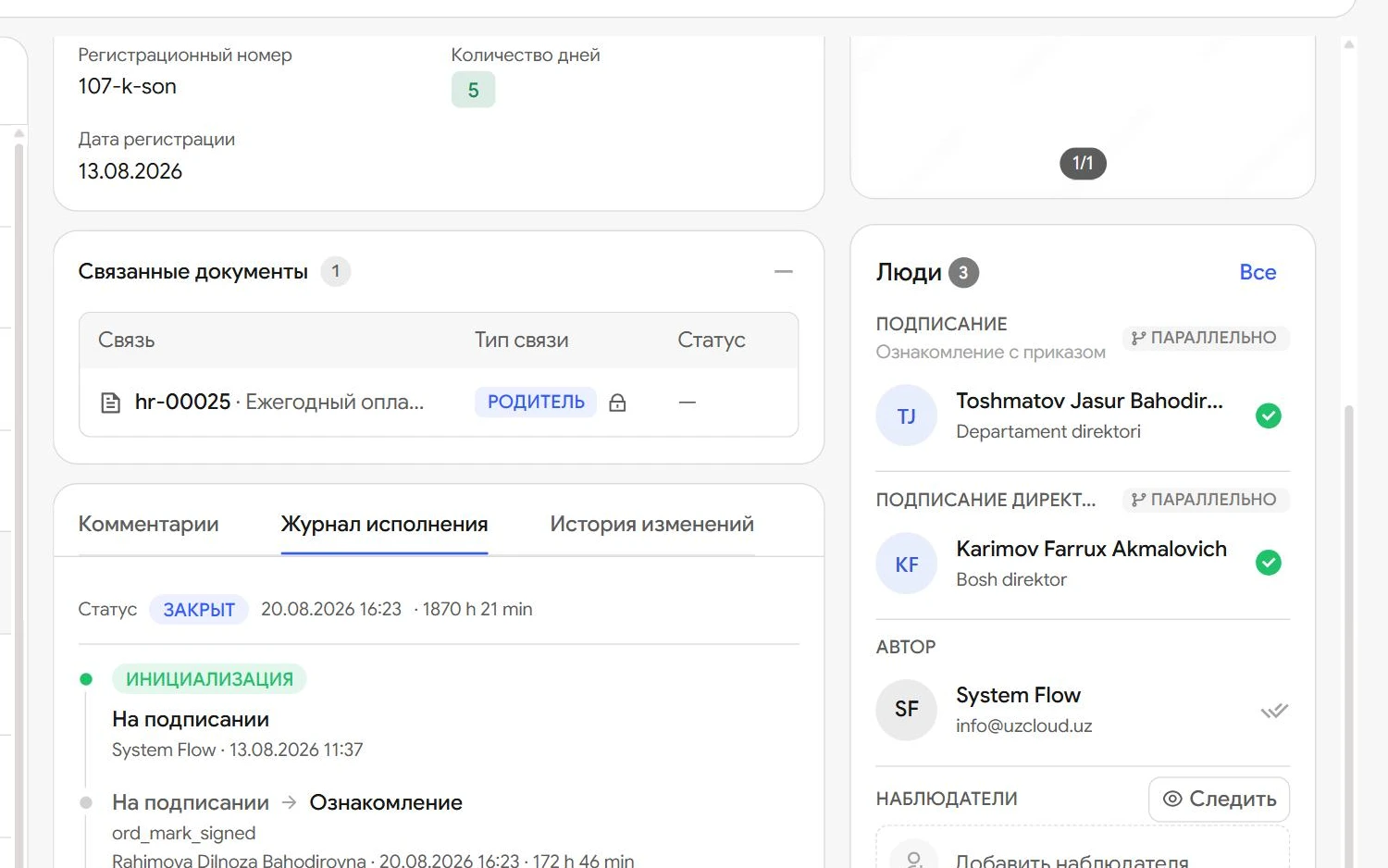
An employee applies for leave; once it is signed, the order is created and linked to the application.
-
Access by role and attribute
Access is granted by role, document type, status and department.
What each participant gets
-
Records office
Registers a letter on one card and sees the queue to register and send.
-
Head
Gets the document with its number and file and writes a resolution straight away.
-
HR
No longer types leave orders by hand: they arrive ready once the application is signed.
-
Branches
Register their own letters and see only their own documents.
Questions
Can we keep our numbering?
Yes. We set the registration number mask for your organisation, and numbering is continuous.
Can an incoming number be corrected by hand?
No. The number is assigned at registration and locked, so the log has no duplicates or gaps.
Can we use our own letterheads and stamps?
Yes. Upload a letterhead or stamp as PNG or PDF and Flow places the document details in the right fields.
Does Flow handle HR documents?
Yes. An employee applies for leave and, once it is signed, the order is created automatically. The application can also be made from a phone.
How do branches work?
Each branch registers its letters in the same system. Access is set so that a branch sees its own documents.
Can we exchange documents with our enterprises?
Yes. The head organisation sends documents and assignments to its enterprises and receives replies in the same system.
Which interface languages are available?
Russian, Uzbek (Latin and Cyrillic), Karakalpak and English.
Let us show you UzCloud Flow on your own documents
45 minutes online or at your office. No obligation.